Club Dashboard
Overview
The Club Dashboard is ToastHost's DCP-focused analytics page for a single club. It combines Toastmasters performance data, club profile details, and follow-up guidance in one place so officers can see how the club is tracking through the current program year.
How to Access
- Sign in as a club officer.
- Open your club home page.
- Click View DCP Performance, View Club DCP Performance, or the Dashboard link in the DCP status card.
Dashboard Overview
At the top of the page, ToastHost shows two year-to-date comparison charts alongside the club's current DCP table.
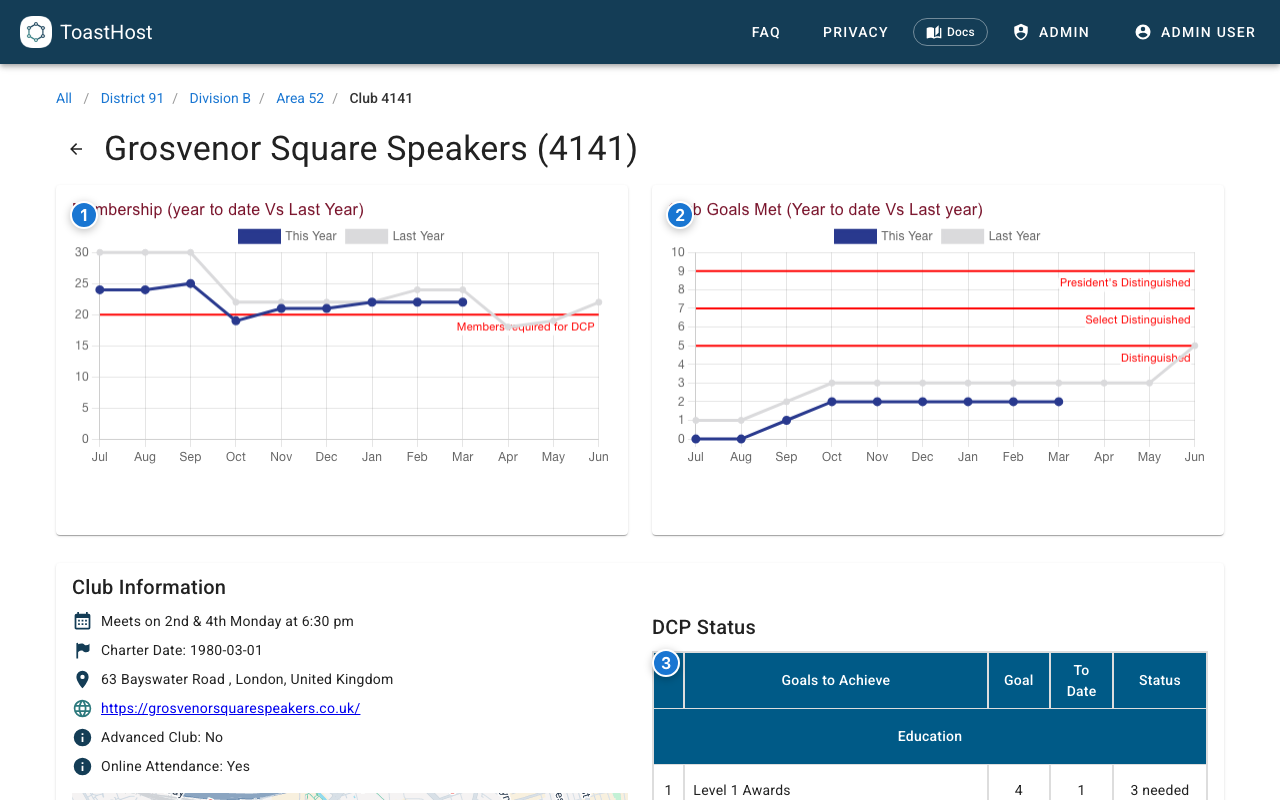
Callouts in the screenshot:
- The Membership chart compares this program year with the previous year and includes the member threshold needed for DCP eligibility.
- The Club Goals Met chart compares this year's progress with last year and marks the Distinguished, Select Distinguished, and President's Distinguished thresholds.
- The DCP Status section breaks progress down goal by goal.
What The Page Shows
Charts
- Membership (year to date vs last year) shows active member counts over time.
- Club Goals Met (year to date vs last year) shows how many DCP goals the club has completed so far this year.
Club Information
The Club Information card may include:
- Meeting day and time
- Charter date
- Venue or address
- Club website and ToastHost website
- Contact email and phone
- Advanced club / online attendance flags
DCP Status
The DCP section tracks goals 1-10 using the club's imported Toastmasters data.
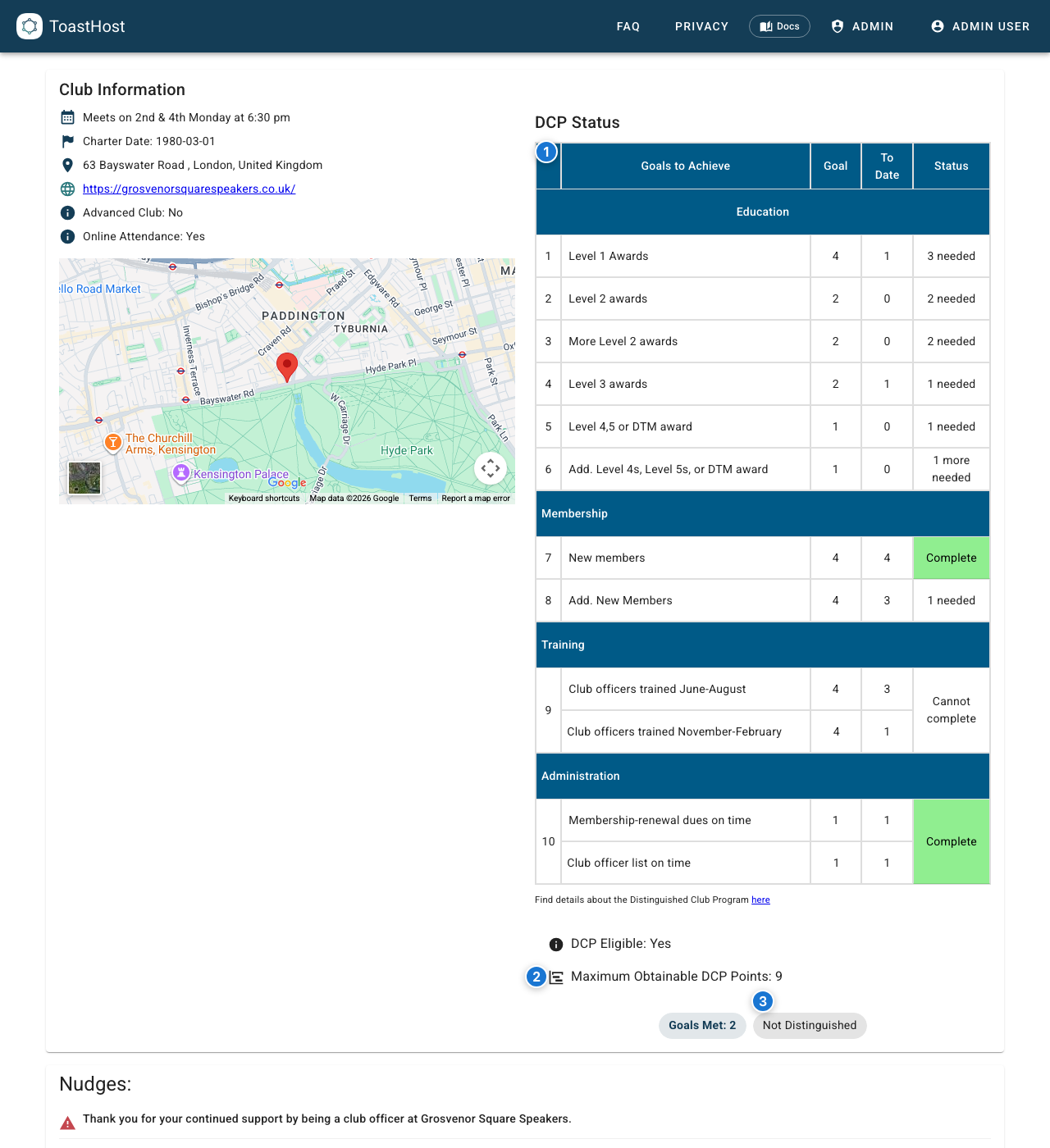
Callouts in the screenshot:
- The DCP table shows each goal, the target, the club's current total, and whether more completions are needed.
- The summary below the table shows whether the club is currently DCP Eligible and the Maximum Obtainable DCP Points for the year.
- The chips at the bottom show the club's current Goals Met total and distinguished status.
The table is grouped into the standard DCP sections:
- Education: goals 1-6
- Membership: goals 7-8
- Training: goal 9
- Administration: goal 10
Guidance And Imported Data
Lower on the page, ToastHost highlights follow-up actions and the latest TI-sourced club data.
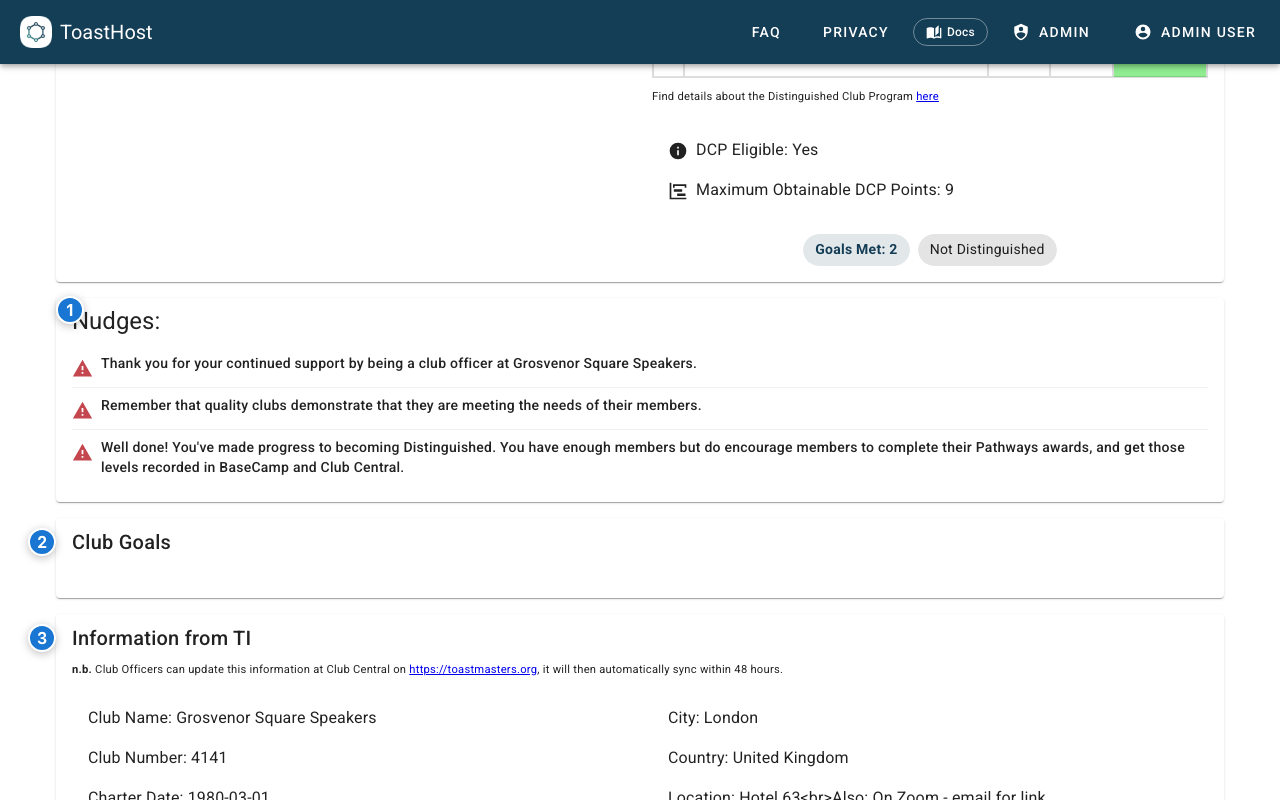
Callouts in the screenshot:
- If ToastHost has actionable suggestions for the club, they appear in Nudges.
- Club Goals summarizes the goals already counted for the club.
- Information from TI shows club details imported from Toastmasters International. The same section also includes the page's membership/import freshness details.
Data Freshness
- Toastmasters International data is not live-edited inside this page.
- Club officers should update official club details in Club Central on toastmasters.org.
- ToastHost notes that TI changes sync into ToastHost automatically, typically within 48 hours.
- The page also shows Membership List import date and Last updated so you can see how recent the current data is.
Tips
- Review this page during officer meetings to see whether the club is on pace for Distinguished recognition.
- Use the membership chart and goal chart together; a club can have goals in progress but still need member growth to stay DCP eligible.
- Check the lower Information from TI section when something looks stale before assuming the dashboard is wrong.
Common Questions
Is this the same as the club home dashboard?
No. The club home page has summary cards. The Club Dashboard is the dedicated DCP analytics page linked from those cards.
Can I change the time range or export this page?
Not on the current Club Dashboard page. It is a fixed year-to-date DCP view rather than a configurable reporting tool.
Why does a goal still show as incomplete?
The DCP table reflects imported Toastmasters data and ToastHost's current eligibility calculations. If something has just changed in Club Central, allow time for the TI sync/import dates to catch up.