COT Sessions
A session is a scheduled sitting of a training event — a date, time, and a location or online link. An event can have a single session or several.
Add sessions
Sessions are set when you create or edit an event. In the event dialog:
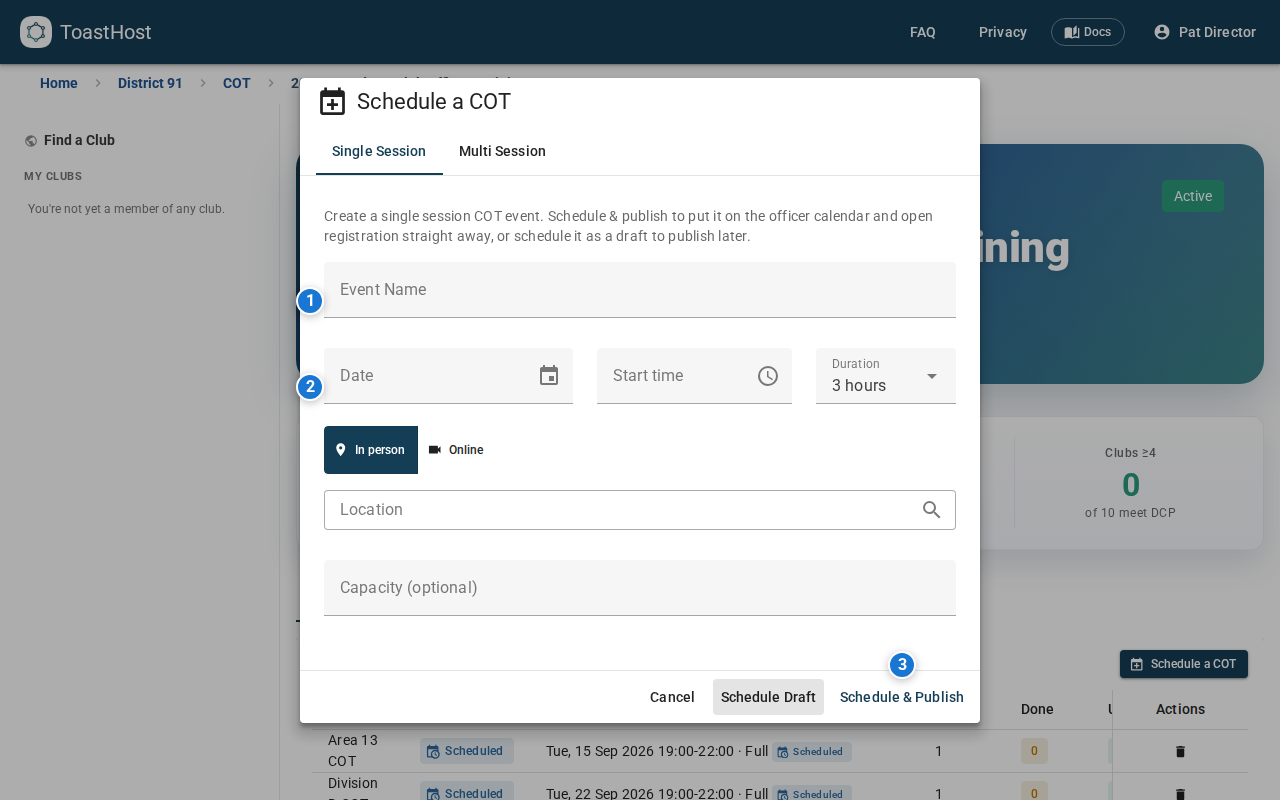
- Use the Single session tab for a one-sitting event.
- Use the Multi session tab to add several sittings under the same event (officers pick which they'll attend).
For each session, set:
- Date and time
- Location (in-person) or joining link (online)
- Capacity, if you want to cap attendance — when full, officers are offered a waitlist instead of a place.
- Session type — which part of the training this sitting delivers.
Session types
Each session delivers one part of the COT (see the 2026 training model):
| Type | What it covers |
|---|---|
| Full Session | Part 1, Role Specific, and Part 2 in a single sitting — the simplest option. |
| Part 1 | The first general "bookend" — for all officers. |
| Role Specific | The per-role content — credits one role. |
| Part 2 | The second general "bookend" — for all officers. |
The quick Schedule a COT action creates a Full Session. To split an event into separate Part 1 / Role Specific / Part 2 sittings, open the event and add sessions, choosing the type for each.
Completion
An officer completes a role's training by attending Part 1 + Role Specific + Part 2, or one Full Session. The parts can come from different events in the round. The general parts are done once; each additional role only needs one more Role Specific sitting.
Joining links
The online joining link is only revealed to officers who hold a confirmed place on that session. Waitlisted officers don't see it until they're seated.
Formats
- In-person — venue, directions, accessibility notes.
- Online — joining link and platform.
- Hybrid — both; track attendance from each as needed.
Related topics
- Managing Events
- Emails and Notifications — the session type sets the "how to earn credit" message registrants see
- Tracking
- COT overview