Guestbook Setup
Documentation in progress
This page is being expanded with detailed instructions. Check back soon for complete content!
Overview
The electronic guestbook captures visitor contact details, enables follow-up emails, and tracks guest conversions to membership - all in a GDPR-compliant way.
How to Access
- Sign in as a club officer
- Navigate to Club Setup > Guestbook in the sidebar
- Enable and configure the guestbook feature
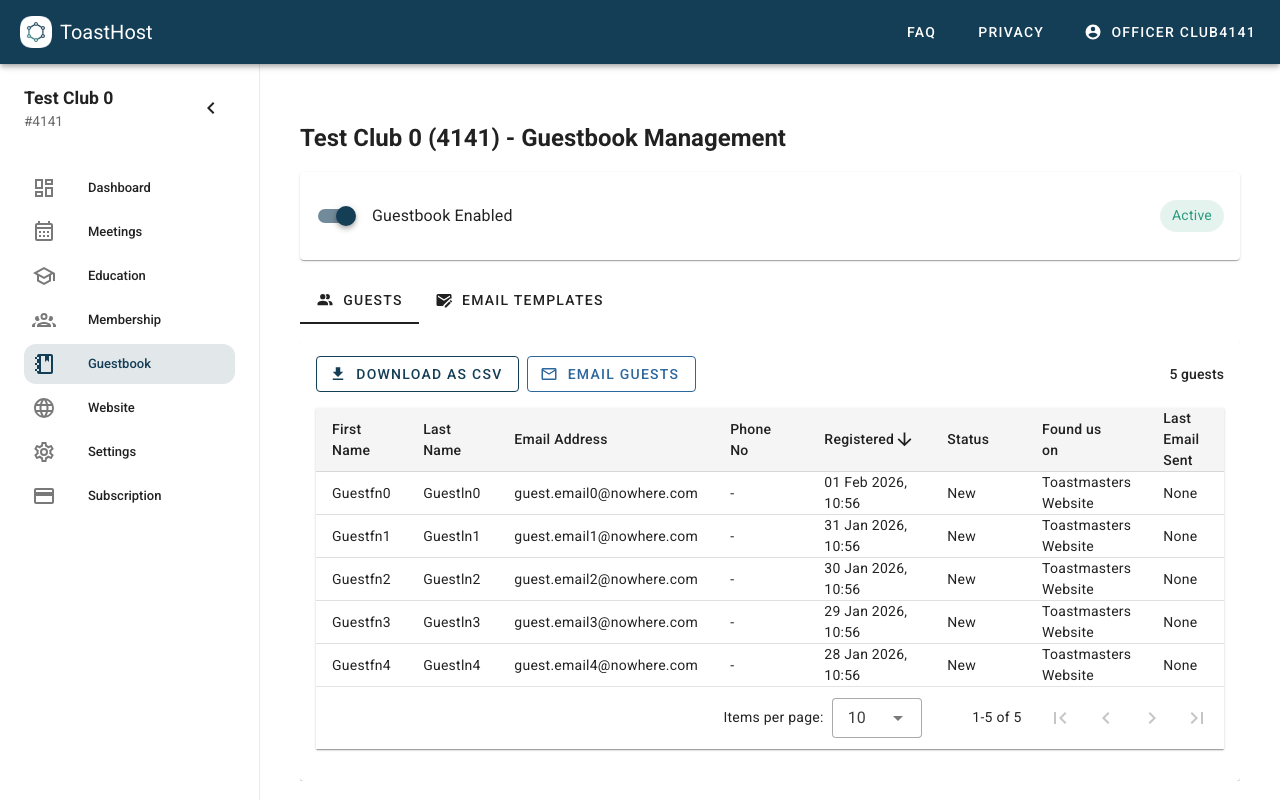
Setting Up the Guestbook
Step 1: Enable the Guestbook
- Toggle the guestbook feature on
- Choose where it appears (website, meeting pages, etc.)
Step 2: Customize the Form
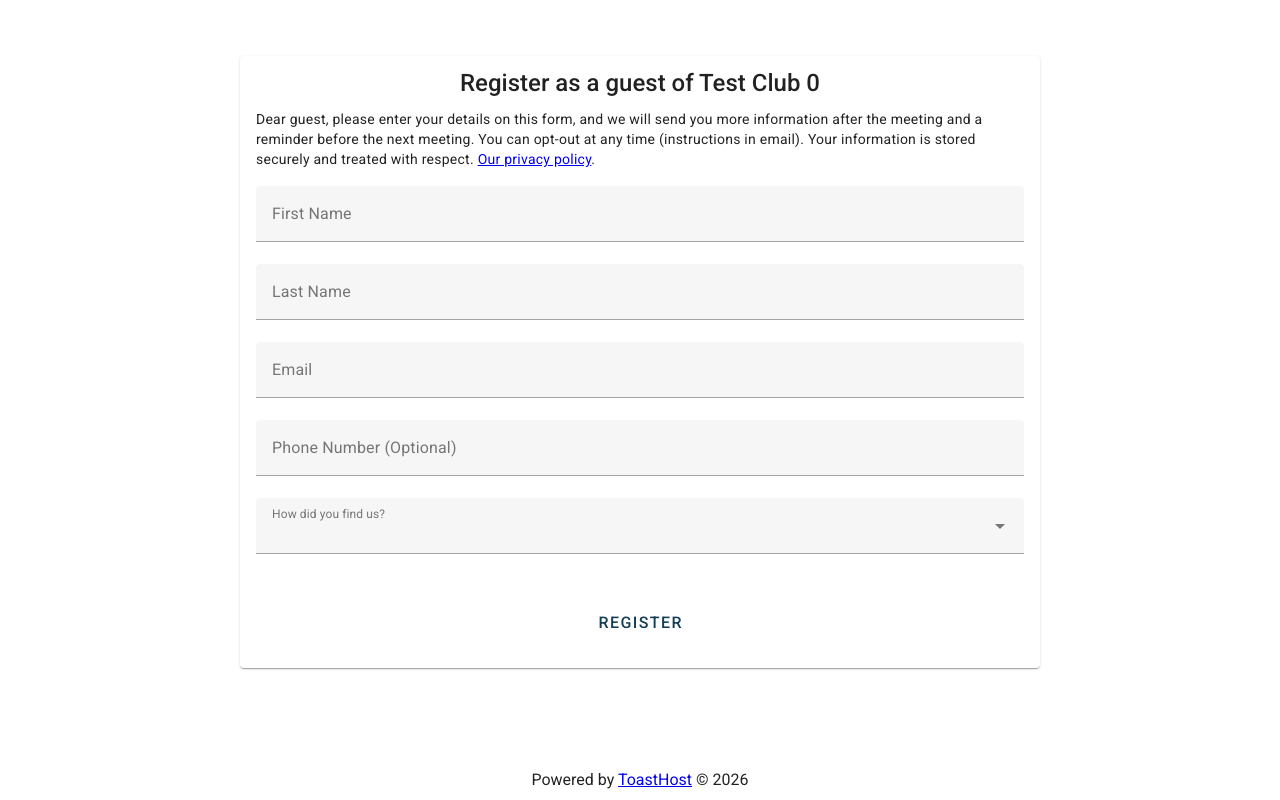
Configure what information you collect:
- Required fields: Name, email
- Optional fields: Phone, how they found you, interests
Step 3: Configure Notifications
Set up alerts when guests sign in:
- Email notifications to specific officers
- Summary reports (daily, weekly)
Step 4: Set Up Follow-up Emails
Create automated or manual follow-up emails to welcome guests and encourage return visits.
How automated welcome emails work
When you save a welcome email template, ToastHost automatically sends it to new guests every day at approximately 9:15 PM UK time. Any guest who registers after that day's send has already run will receive their welcome email immediately — so no guest is left waiting until the next day.
For automated emails to be sent, two conditions must be met:
- The guestbook must be enabled for your club
- A welcome email template must be saved (it cannot be empty)
Template placeholders
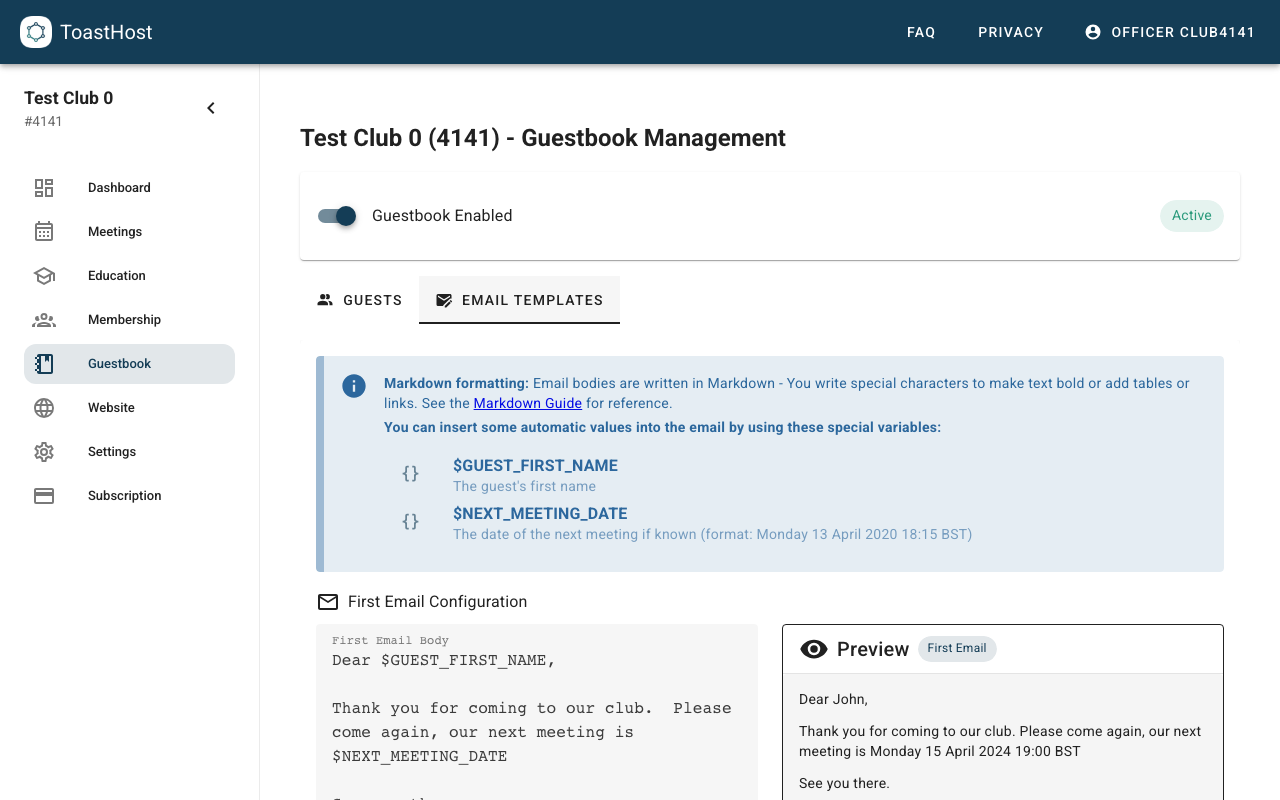
You can personalise your welcome email using these placeholder variables:
| Placeholder | Description |
|---|---|
$GUEST_FIRST_NAME |
The guest's first name |
$NEXT_MEETING_DATE |
The date of your club's next scheduled meeting |
Configure email templates
Use the Email Templates tab to edit your welcome and reminder emails. ToastHost shows a live preview so you can check formatting and placeholders before saving.
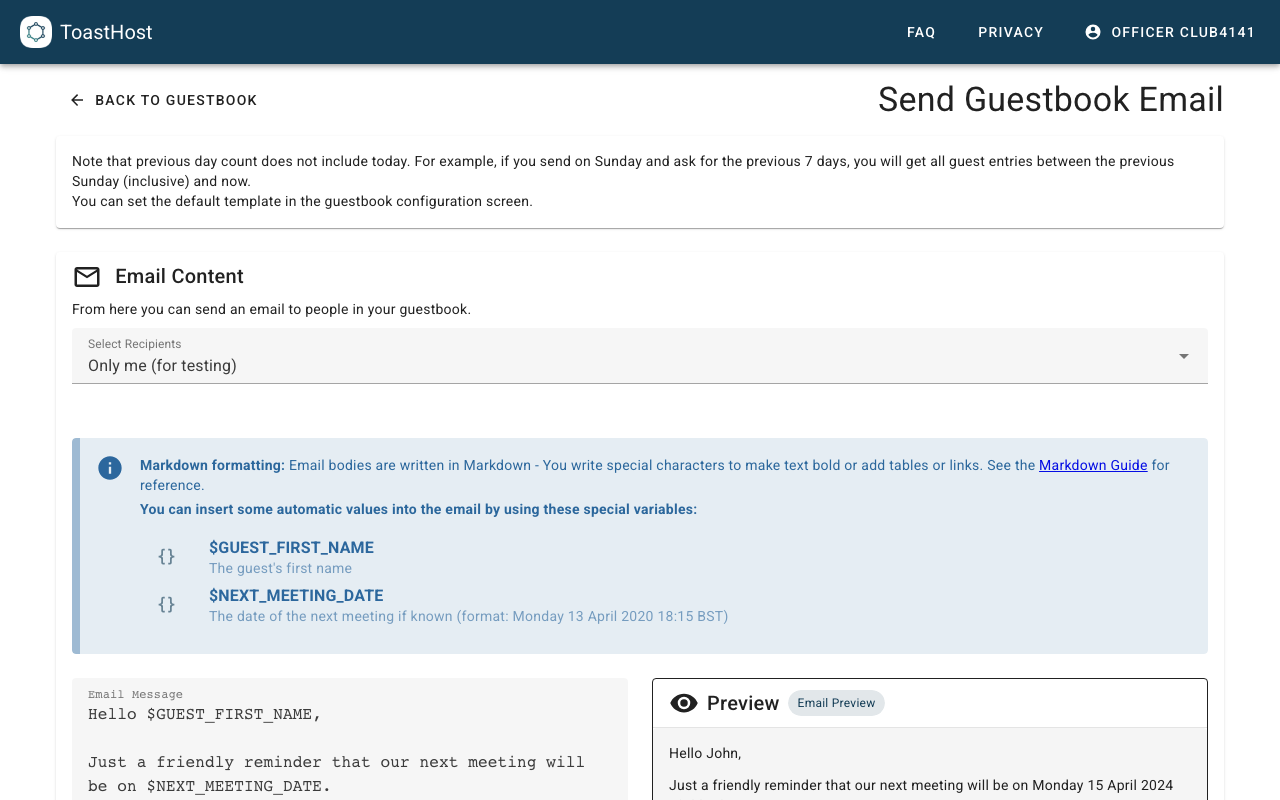
Send an email to guests
Use Email Guests to send a one-off email to recent visitors (for example the last 7 days) or everyone in your guestbook.
Managing Guest Entries
Viewing Guests
See all guest sign-ins with:
- Contact information
- Sign-in date
- Follow-up status
Following Up
Track your outreach:
- Mark as contacted
- Note conversation outcomes
- Track conversion to membership
Tracking Conversions
Monitor success rates:
- Guests who became members
- Time from visit to joining
- Which sources bring best guests
GDPR Compliance
The guestbook is designed for GDPR compliance:
- Clear consent for data collection
- Easy data deletion on request
- Transparent data usage
Tips
- Follow up with guests within 24-48 hours
- Personalize follow-up messages
- Track where guests found you
- Review conversion rates monthly
- Delete old guest data periodically
Common Questions
Can guests sign up online?
Yes, if you enable the guestbook on your website.
When are automated welcome emails sent?
ToastHost sends welcome emails to new guests every day at approximately 9:15 PM UK time. If a guest registers after that day's send has already run, their welcome email is sent immediately so they don't have to wait until the next day.
How long is guest data stored?
Configure retention periods in settings, or delete manually.
Can I export guest data?
Yes, export to CSV for backup or analysis.