Meeting Links
The Links tab lets officers add club links that show up on the meeting page (including the public view).
Common uses include:
- Zoom / Google Meet
- Guest registration forms
- New member signup forms
- Slides or other shared resources
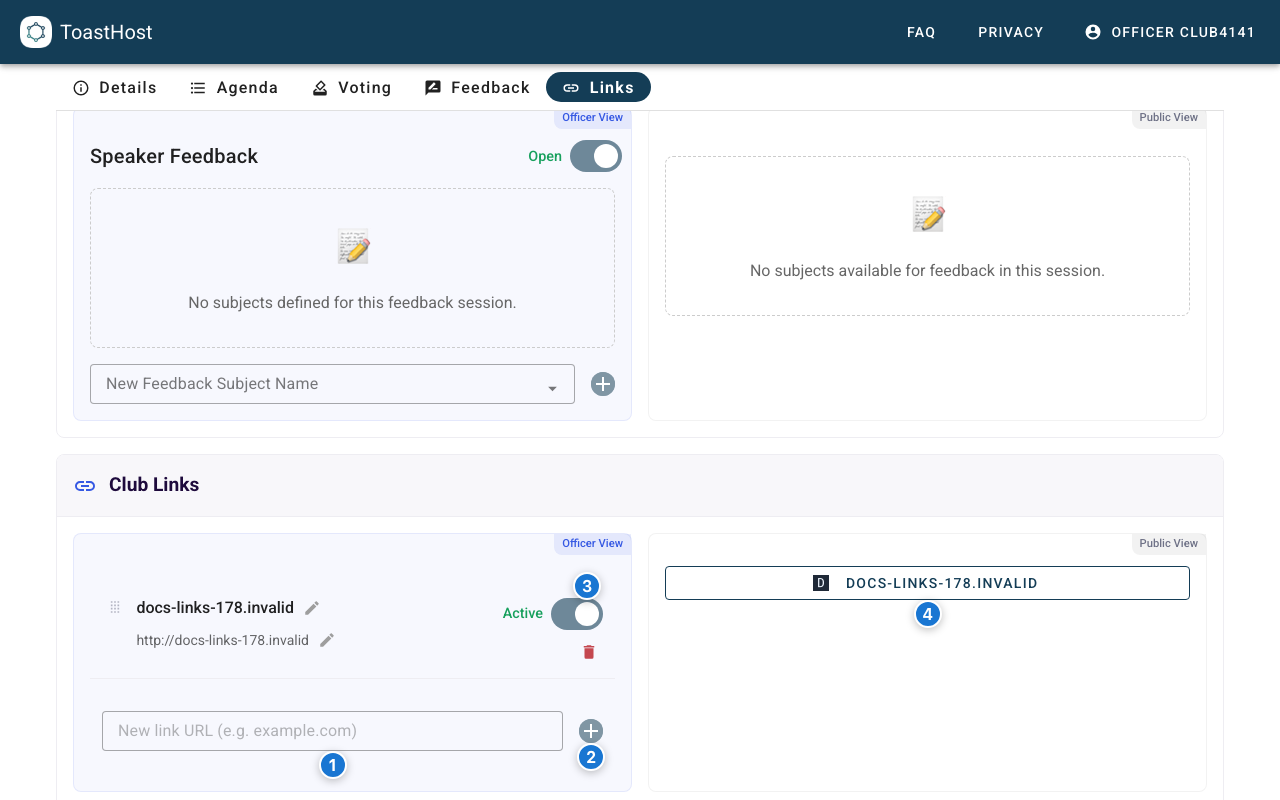
- Paste a URL (for example
https://example.comorexample.com). - Click Add to create the link.
- Toggle the link to Active so it is visible to guests.
- Verify the link appears as a button in the public panel.
Note
These links are club-wide. Once added, they appear on every meeting page for the club.