Meeting Results
Overview
After a meeting is finished, you can review voting outcomes and the feedback collected during the session. Eligible speakers with recorded feedback are also emailed their feedback summary when the meeting is finished.
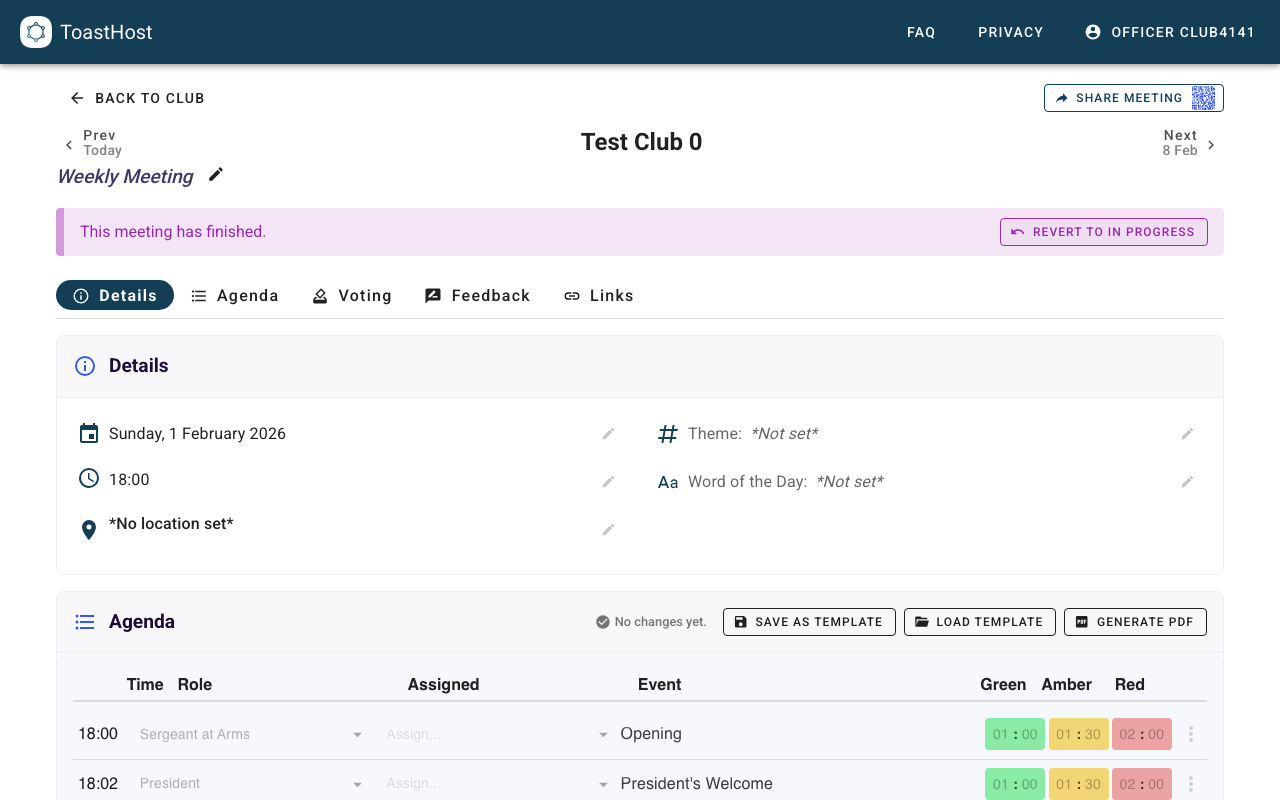
Accessing Results
- Navigate to the meeting.
- Confirm the banner shows the meeting is finished.
- Use the Voting and Feedback tabs to review outcomes.
Voting Results
Open the Voting tab to review each category (for example Best Speaker, Best Evaluator, and Best Table Topics) and confirm the winner.
For details on managing the voting workflow during the meeting, see:
- Running Meetings (officer view)
- Voting (member view)
Feedback Review
Open the Feedback tab to see which speakers received feedback, review the submitted entries, and confirm what was collected before the automatic post-meeting email went out to eligible speakers. Those emails reply back to the club email address, and the club inbox receives a copy so officers can verify delivery.
For details on the public before/after states, and how officers can copy/export results when they need a manual fallback, see:
- Running Meetings (officer view)
- Giving Feedback (member view)
Tips
- Review outcomes shortly after the meeting finishes (or while running your closing segment).
- Use copy/export only when you need to share feedback manually, keep an offline copy, or handle an exception to the normal automatic email flow.
Common Questions
Related Topics
- Running Meetings (officer view)
- Voting (member view)
- Giving Feedback (member view)