Meeting Templates
Overview
Meeting templates save time by providing a reusable agenda structure. Create templates for your regular meeting format and reuse them when creating new meetings.
ToastHost includes:
- Club templates - Templates created by your club
- System templates - Built-in templates provided by ToastHost
Using Templates
Use a template when creating a meeting
When creating a meeting:
- Open the meeting creation dialog (see Creating Meetings)
- Choose an Agenda Template (Optional)
- Click Create Meeting
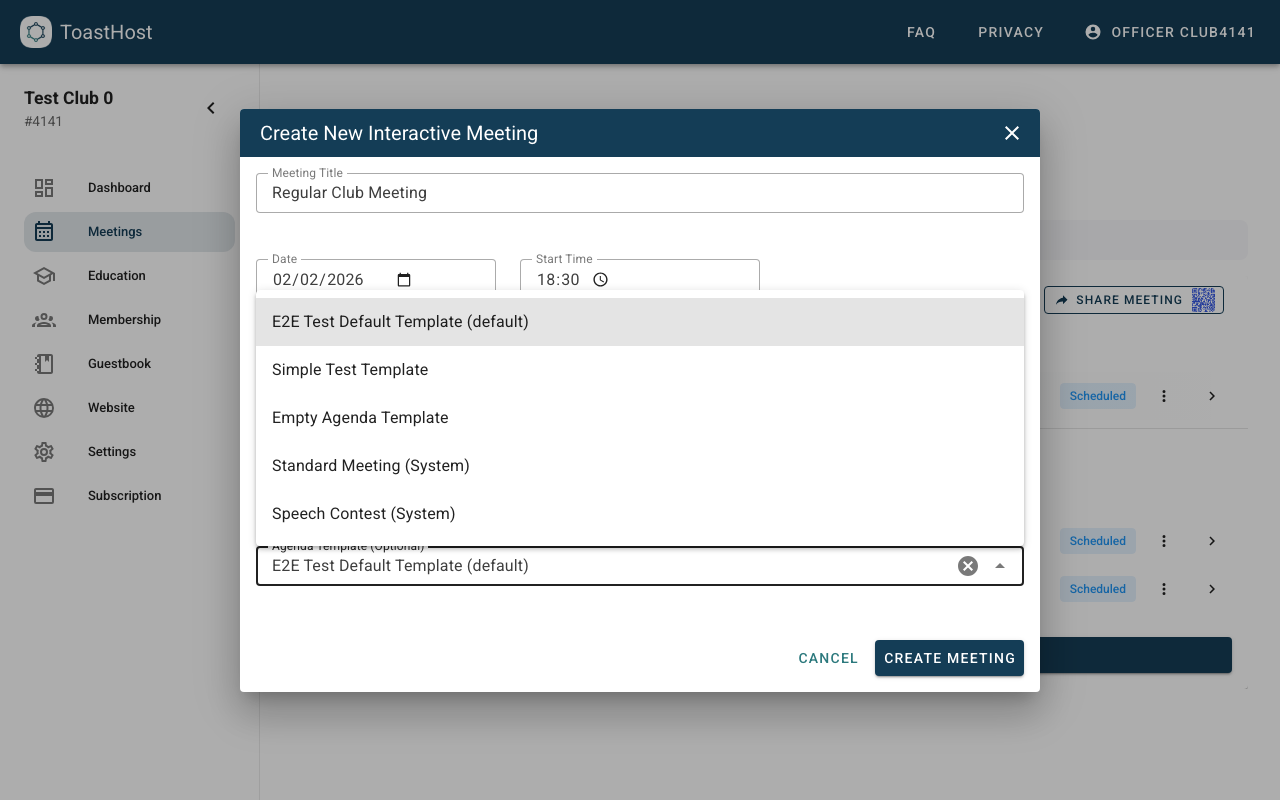
Load a template into an existing meeting
You can load a template into a meeting at any time:
- Open the meeting
- Go to the Agenda tab
- Click Load Template
- Choose the template you want to apply
On the Agenda tab:
- (1) loads a template into this meeting
- (2) saves the current agenda as a reusable template
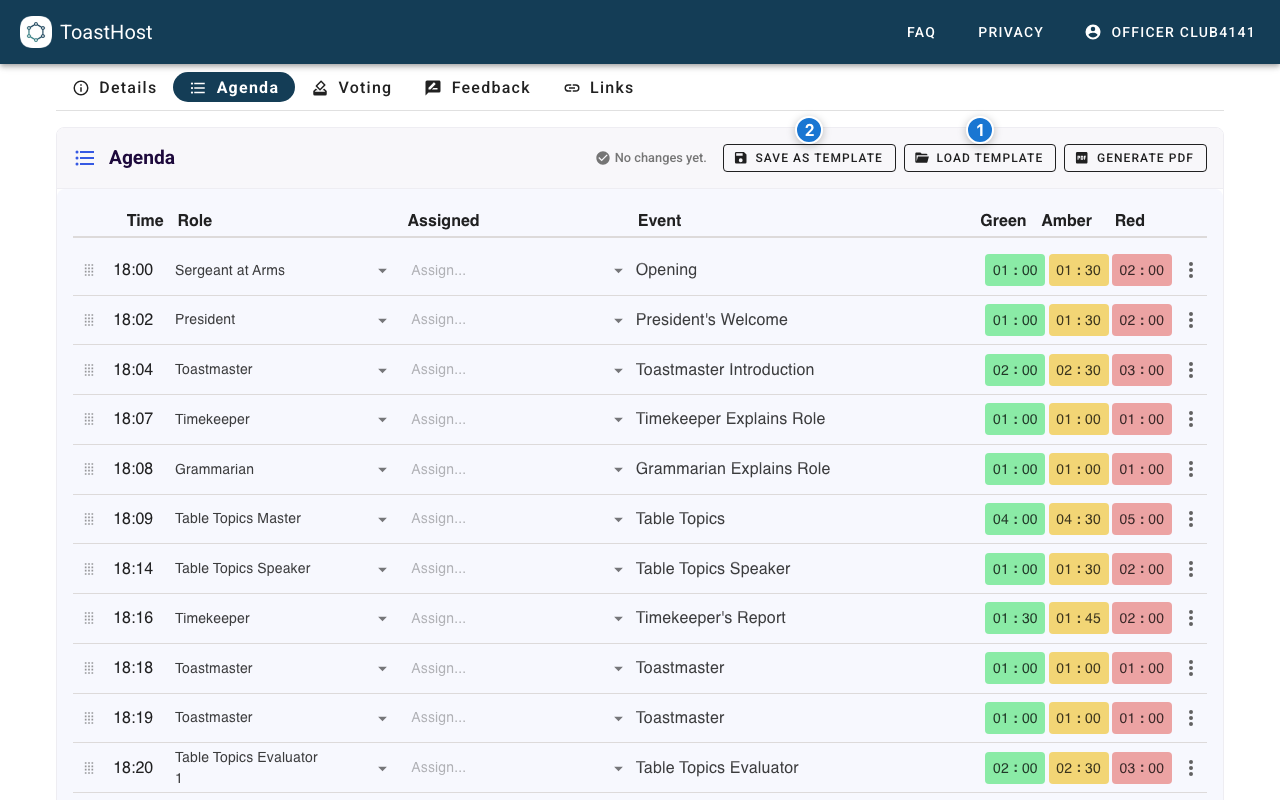
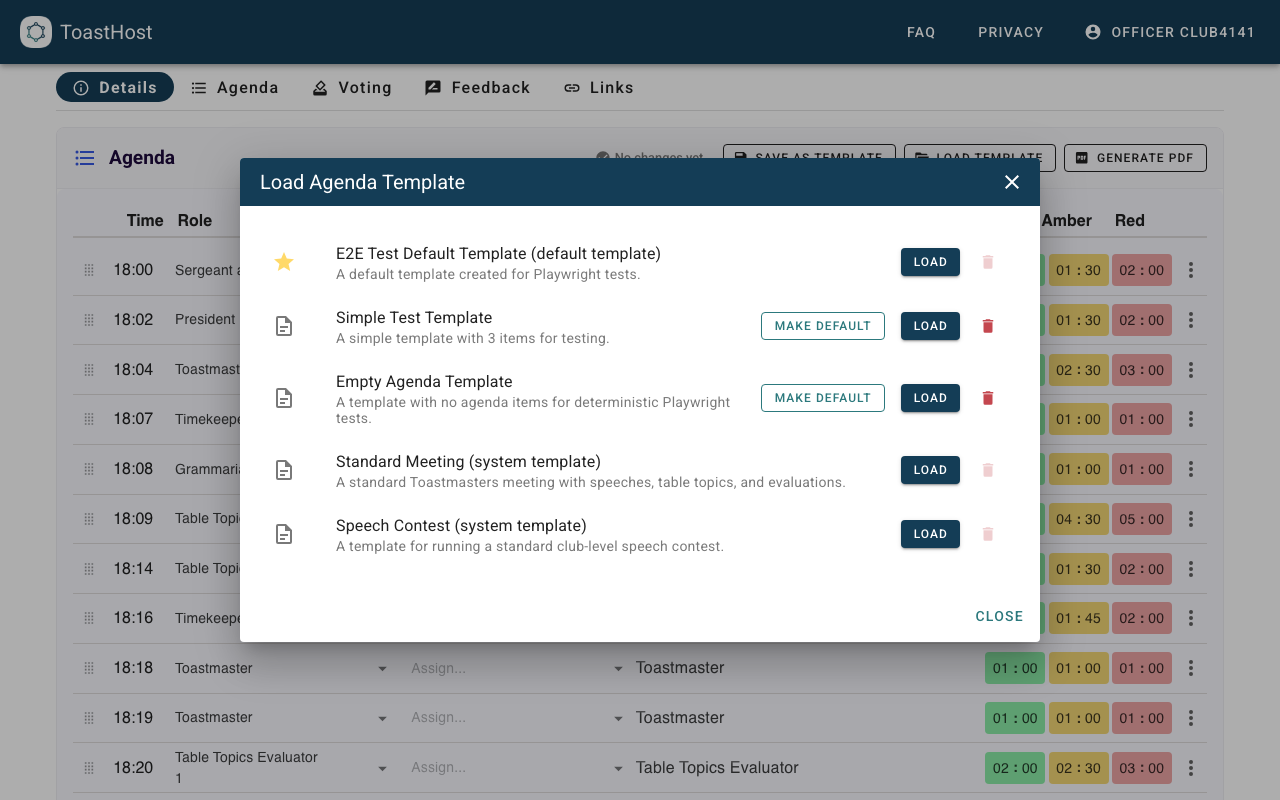
Creating Templates
Create templates from any meeting agenda:
- Open a meeting
- Go to the Agenda tab
- Click Save as Template
- Follow the wizard to name and save the template
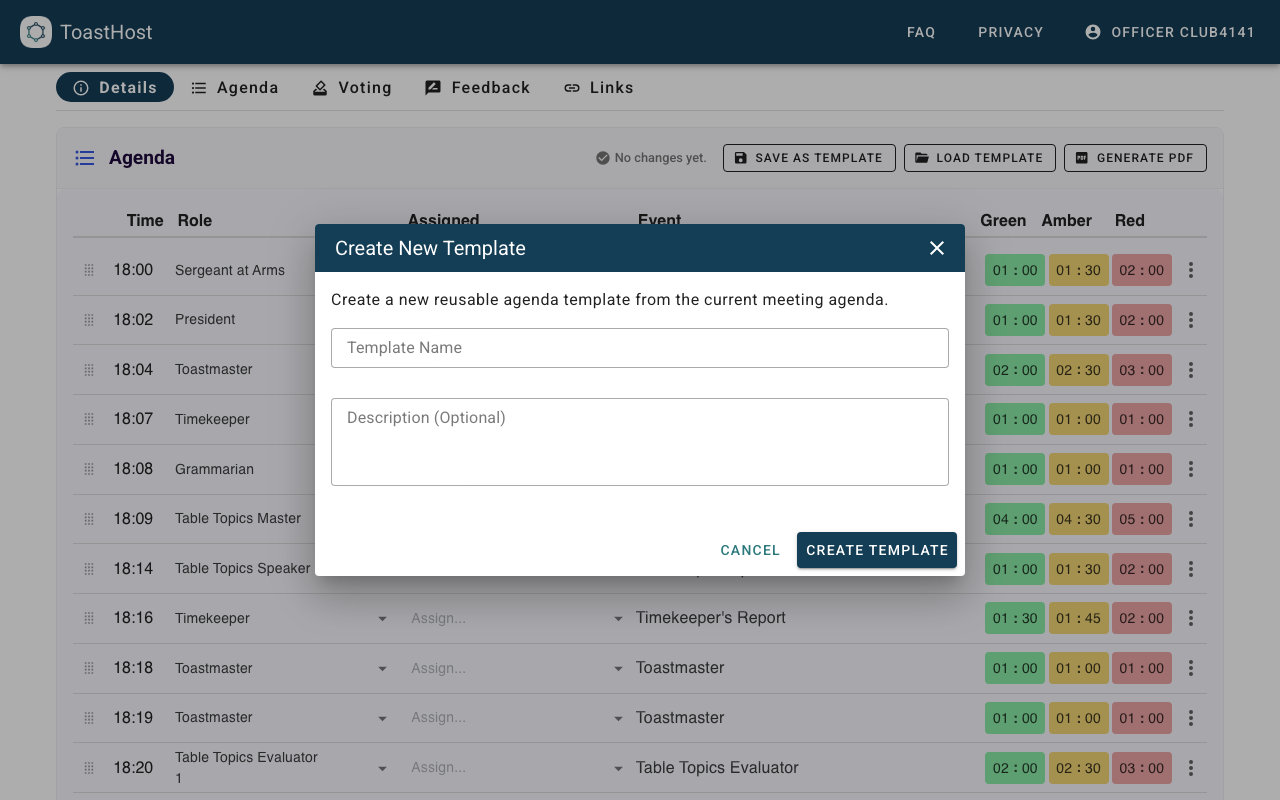
Managing Templates
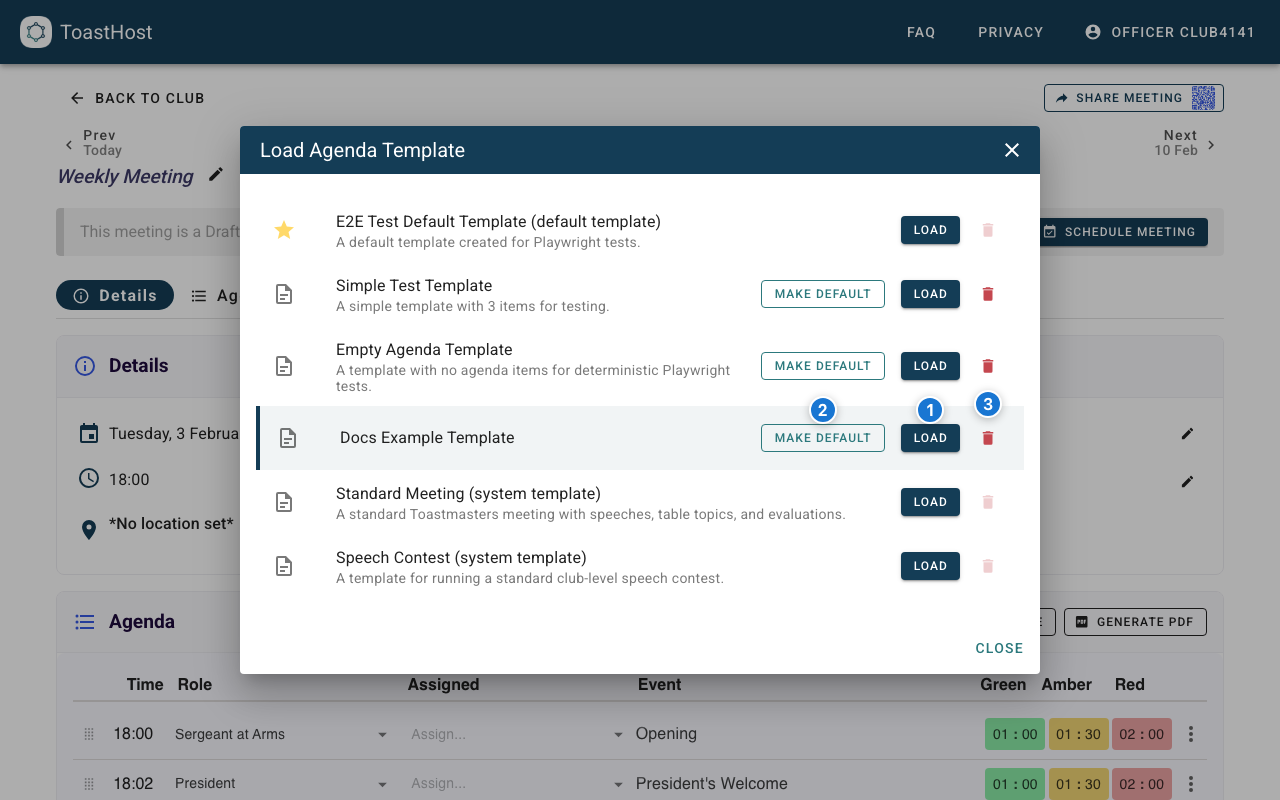
From the Load Agenda Template dialog, you can:
- Load a template into the current meeting
- Make Default to use a club template automatically for new meetings
- Delete club templates you no longer need (you can't delete the default template or system templates)
Tips
- Create templates for different meeting types
- Include realistic timing in templates
- Review and update templates periodically
- Name templates clearly for easy identification
Common Questions
Can members create templates?
Typically only officers can create and manage templates.
Do changes to templates affect existing meetings?
No, template changes only affect new meetings created from that template.
How many templates can we have?
There's no limit - create as many as useful for your club.