Sharing Meetings
Documentation in progress
This page is being expanded with detailed instructions. Check back soon for complete content!
Overview
Share meeting information with guests and potential members to help grow your club and increase visibility.

Sharing Options
Meeting Link
Each meeting has a unique shareable link:
- Open the meeting
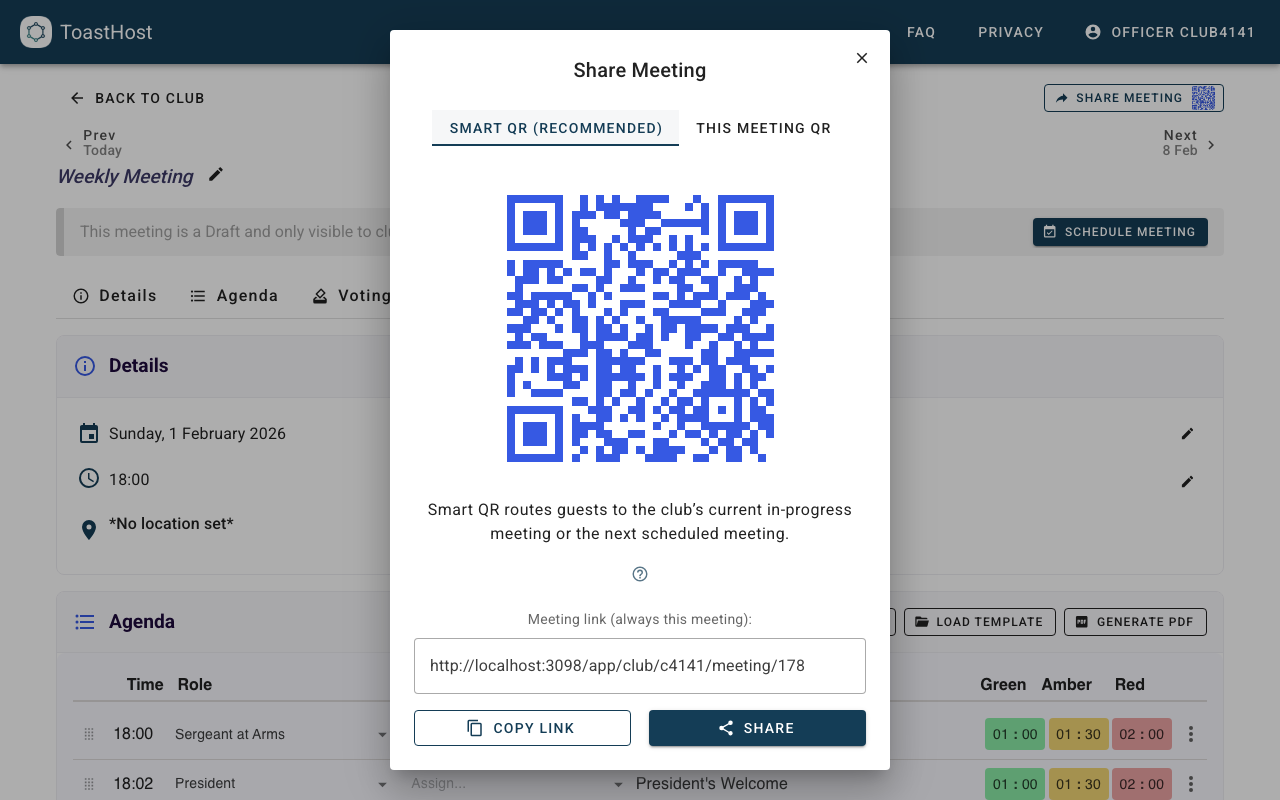
- Click Share or find the share icon
- Copy the meeting URL
- Share via email, social media, or your website
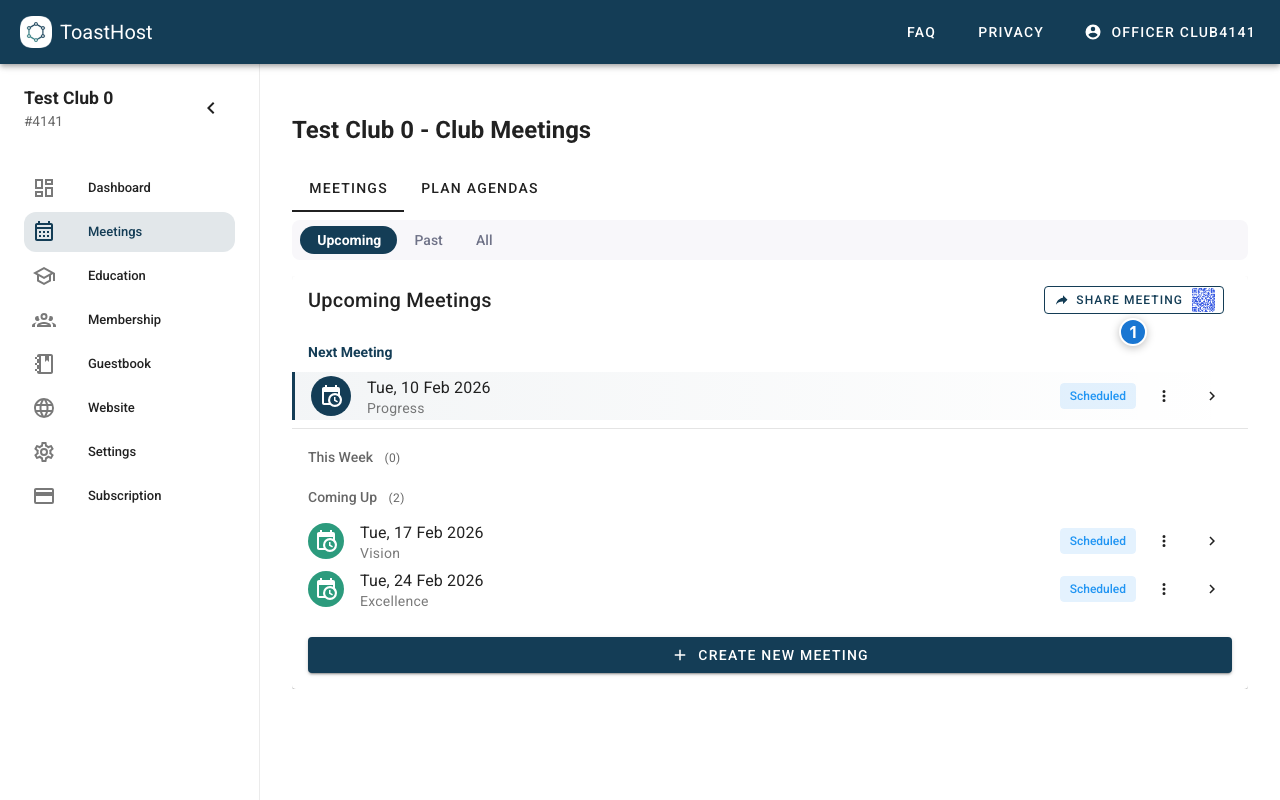
Smart QR (Recommended)
ToastHost also provides a Smart QR code that always routes guests to the most relevant meeting:
- If a meeting is in progress, guests are sent there
- Otherwise, guests are sent to the next scheduled meeting
You can find the Smart QR code:
- On the club’s Meetings page (best for posters, websites, and ongoing promotion)
- Inside the meeting Share dialog (default QR)
“This meeting” QR
If you need a QR code for a specific meeting date (e.g., a one-off flyer), use the This meeting QR tab inside the Share dialog.
Note
Printed PDF agendas intentionally include a meeting-specific QR code, since the context is already tied to a specific meeting.
What Guests See
When guests access a shared meeting link:
- Meeting date, time, and location
- Agenda overview
- Sign-in option (guestbook)
- Contact information
Privacy Controls
Configure what's visible to non-members:
- Full agenda vs. summary
- Speaker names visible or hidden
- Sign-up options for guests
Promotional Use
Social Media
Share meetings on social media:
- Post the meeting link
- Include meeting theme
- Highlight special events (contests, guest speakers)
Website Integration
Display upcoming meetings on your website:
- Embed meeting calendar
- Link to meeting details
- Show registration options
Email Marketing
Include meeting info in outreach:
- Weekly meeting announcements
- Special event invitations
- Guest follow-up emails
Guest Registration
Allow guests to register in advance:
- Enable guest registration in meeting settings
- Guests can sign up via the shared link
- Receive notification of registrations
Tips
- Promote meetings at least a week in advance
- Include meeting themes to attract interest
- Highlight what makes your meeting special
- Make registration easy for first-time visitors
Common Questions
Can guests vote or give feedback?
This depends on your club settings. Most clubs allow guest voting.
How do I know if guests are coming?
Check guest registrations in the meeting page.
Should I share member names publicly?
Follow your club's privacy policy. Consider showing only roles, not names, publicly.