Member List
Overview
Use the member list to view your club roster and manage membership payment status.
The member list is part of Membership Management and is split into:
- Active Members
- Prospective Members
- Past Members
Documentation in progress
This page is being expanded with more detailed examples.
Prerequisites
- You are signed in as a club officer
- Your club has Membership Enabled in Membership Management
How to Access
- Sign in as a club officer.
- Open your club.
- Go to Membership.
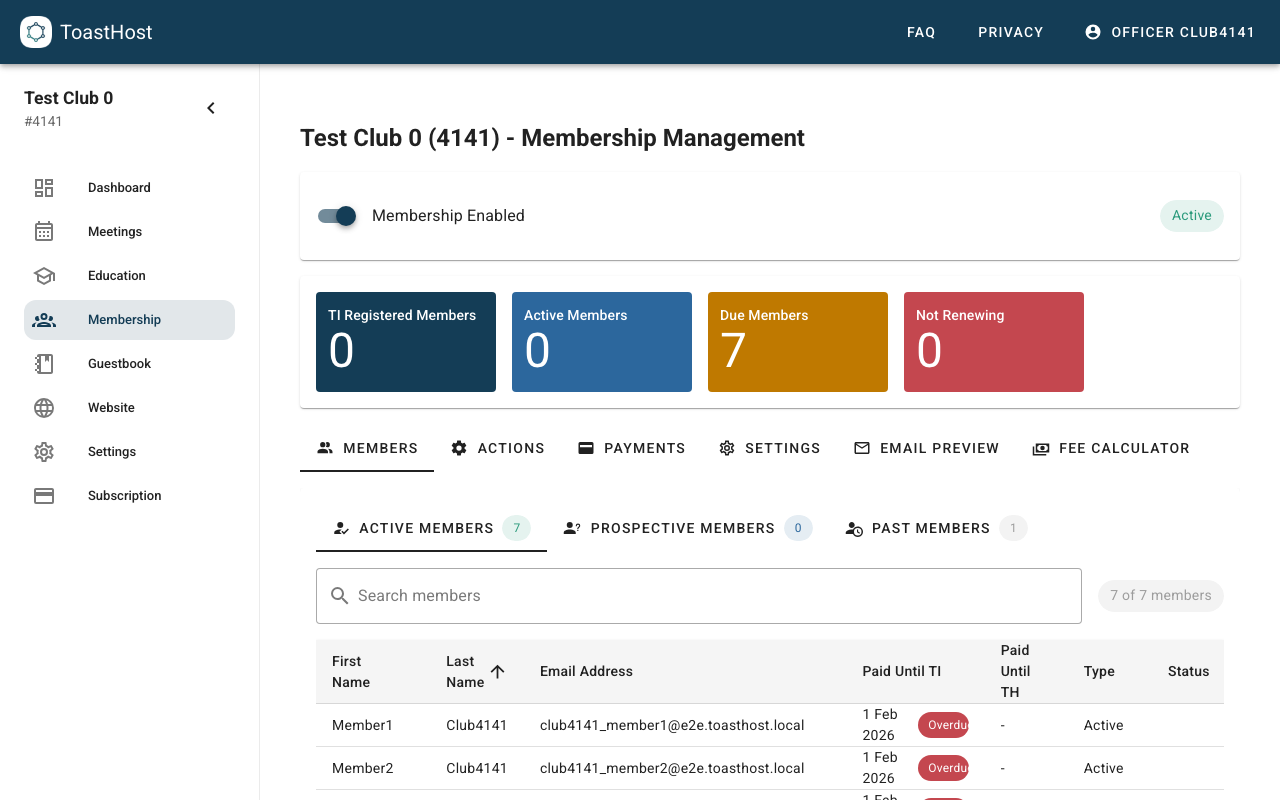
The Member List
The Members tab shows your roster and key membership fields (for example, Paid Until, Status, and TI Status).
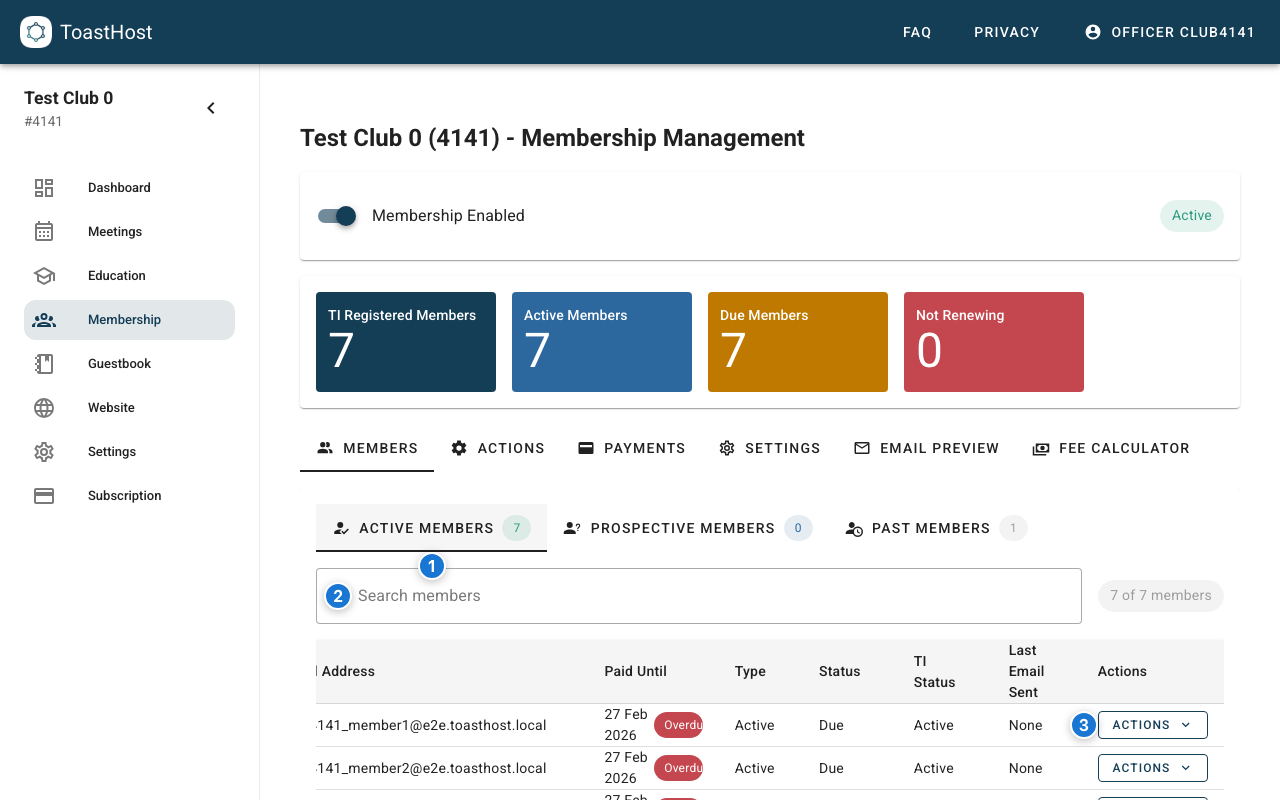
Callouts in the screenshot:
- Switch between Active, Prospective, and Past members.
- Search by name or email address.
- Open the per-member Actions menu.
Search Members
Use the Search members box to filter the current member category (Active/Prospective/Past).
Manage Member Status
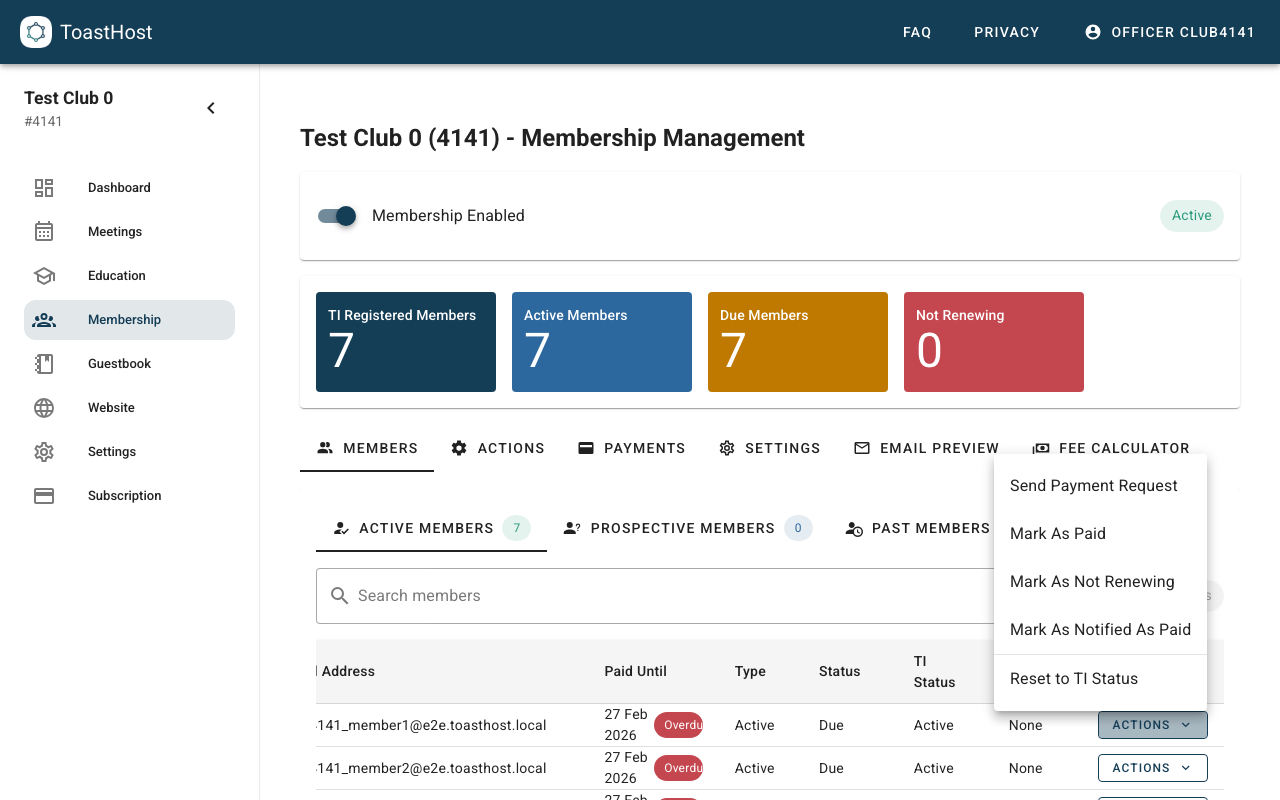
Use the Actions menu on a member row to perform common tasks (for example sending payment requests and updating payment status).
Use Toastmasters International Email Addresses
When members register (or when you import membership data), ensure they use the same email address as their Toastmasters International account. This helps match records between ToastHost and TI systems.
Add New Members
- For new joiners, use the public New Member Form.
- For existing club members, use Data Import to upload a membership list export from Toastmasters Club Central.
Tips
- Review the roster regularly so payment reminders go to the right people.
- Use Prospective Members to track new registrations while you're deciding on next steps.
- Use Past Members to keep historical records without cluttering your active roster.