New Member Form
Documentation in progress
This page is being expanded with detailed instructions. Check back soon for complete content!
Overview
The new member form is a public registration page that allows prospective members to sign up for your club online.
How to Access
- Sign in as a club officer.
- Open Membership in the sidebar (Membership Management).
- Use the Actions tab to preview the form or copy the public link.
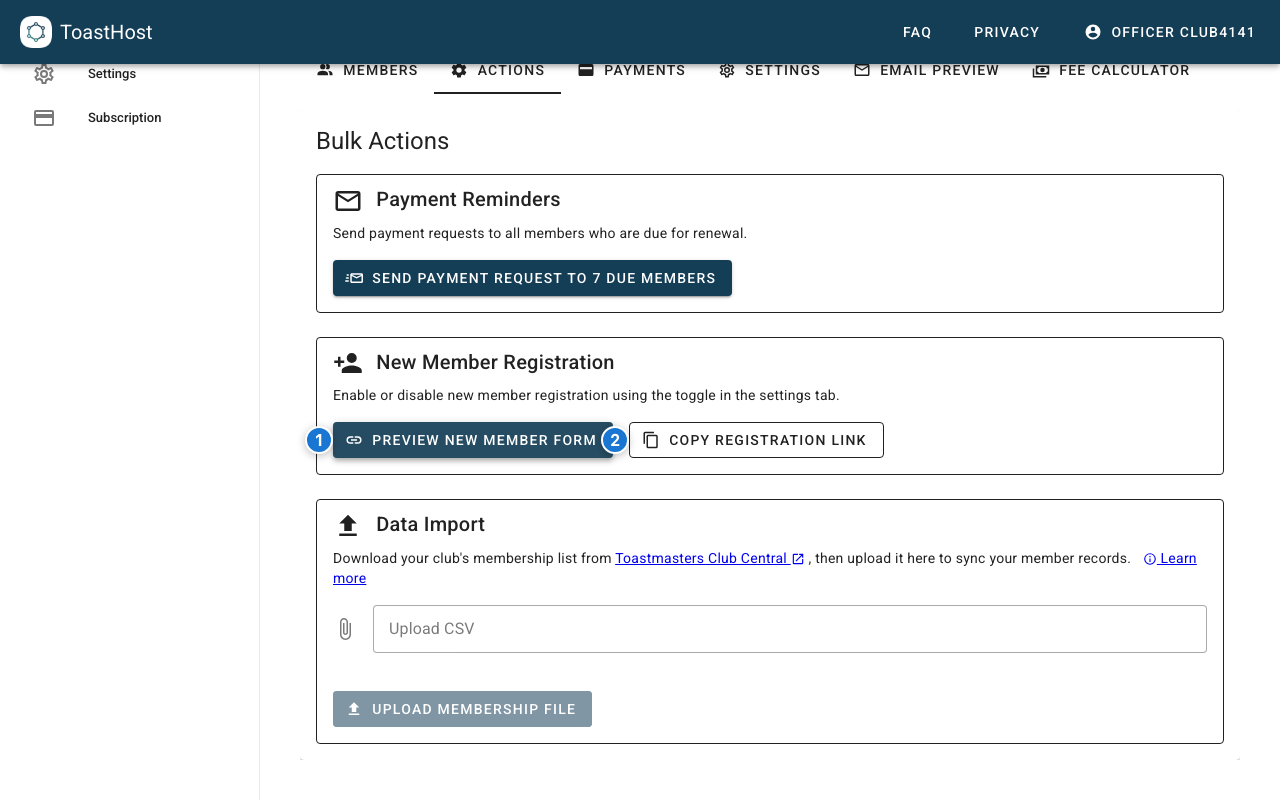
Callouts in the screenshot:
- Preview the public New Member Form.
- Copy the public registration link to share with prospective members.
Setting Up the Form
Step 1: Enable Registration
Enable or disable the public form in the Membership settings:
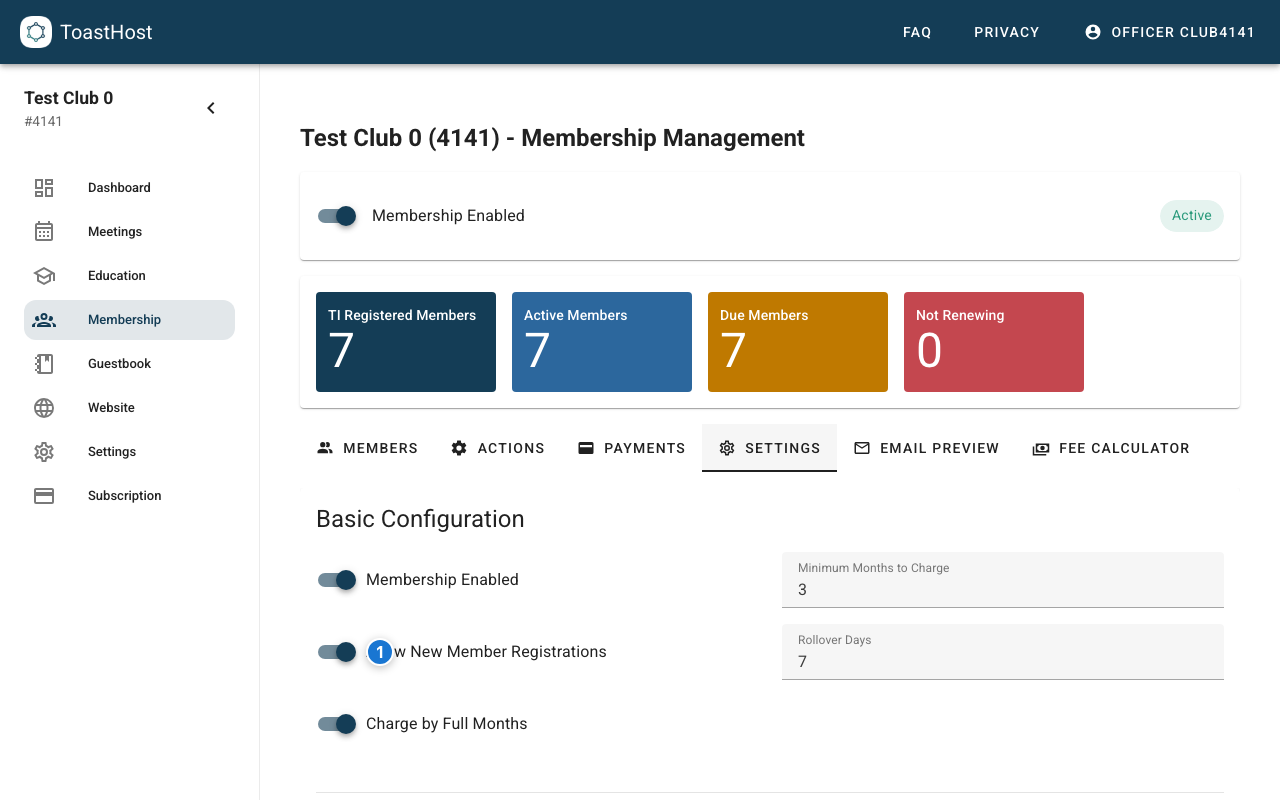
Callouts in the screenshot:
- Toggle Allow New Member Registrations to enable or disable the public form.
Step 2: Form Fields (Fixed)
ToastHost collects a fixed set of fields on the public registration form. At this time, clubs cannot choose which fields appear or add custom questions.
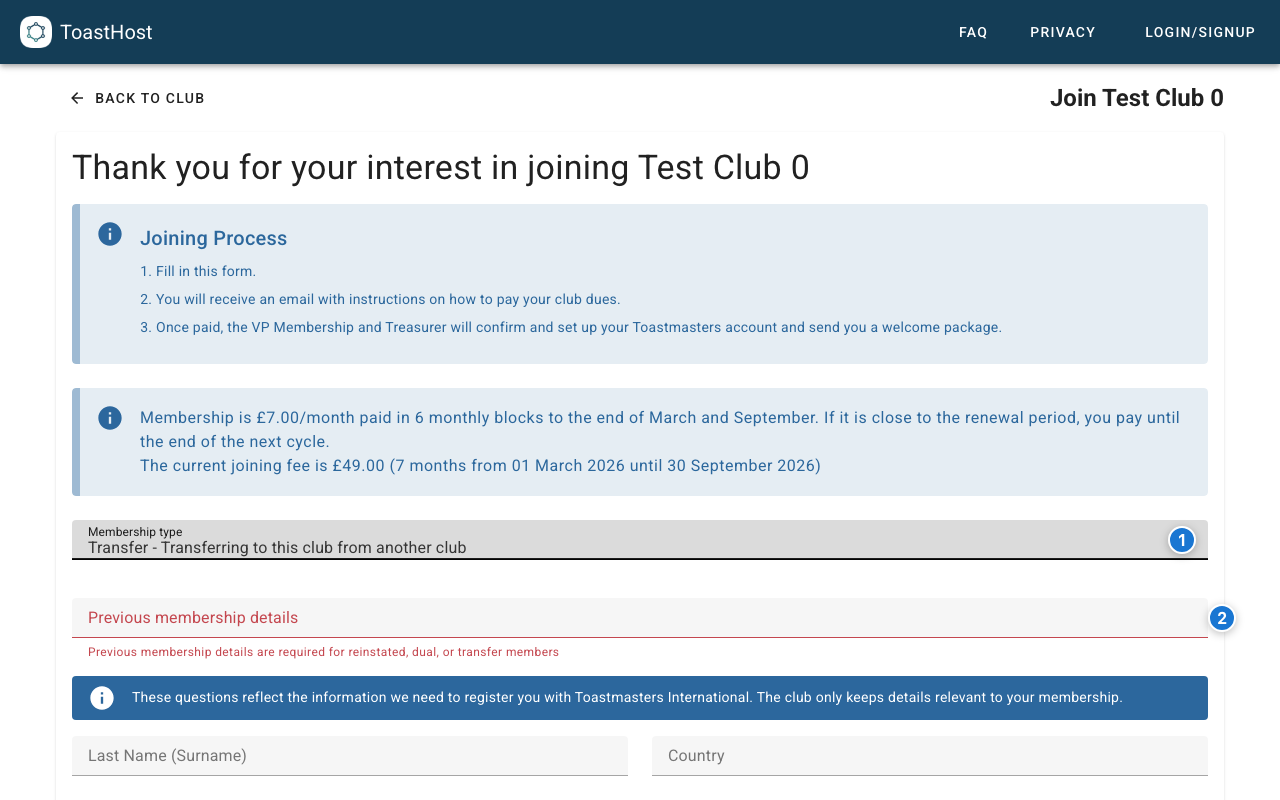
Callouts in the screenshot:
- Choose the Membership type (New, Transfer, Dual, Reinstated).
- For Transfer, Dual, or Reinstated members, enter Previous membership details so officers can match the member to Toastmasters International records.
The form includes:
- Membership type
- Previous membership details (only for Transfer, Dual, or Reinstated)
- Personal details (name, gender, mobile phone, primary email)
- Address details (country, address lines, city, ZIP/postal code)
- Toastmasters International contact preferences (at least one required)
- Required agreements (Member's Agreement and Release, Toastmaster's Promise)
Remind About TI Email
When sharing the registration link, remind new members to register with the same email address they use for Toastmasters International. This helps ensure their records sync correctly.
Step 3: What Happens After Submission
When a member submits the form:
- ToastHost emails the member instructions to pay their club dues.
- ToastHost emails the club contact email with the submitted details.
- The member appears under Membership > Members > Prospective Members, where officers can follow up and manage payment status.
Sharing the Form
Getting the Link
Copy the registration form URL from Membership > Actions > Copy Registration Link.
Share via:
- Club website
- Social media
- Email to guests
- Guestbook follow-up
Add to Club Links
You can also add the registration link to your club's Links on any meeting page. This makes the link visible to guests viewing the meeting.
What Members See (Public Form)
The form can be opened without signing in:
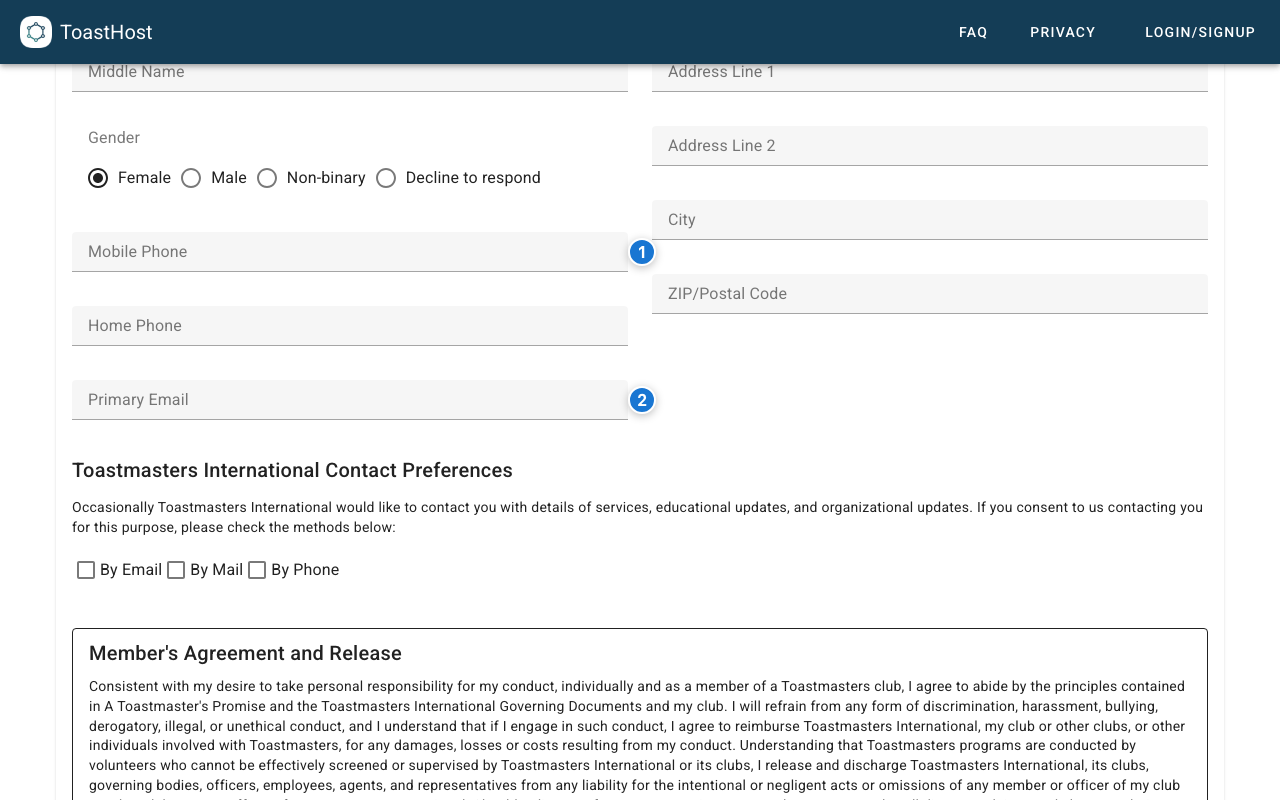
Callouts in the screenshot:
- Enter the member's mobile phone number (required).
- Enter a primary email address (use the same email the member uses with Toastmasters International).
Managing Registrations
Prospective members appear in the Membership list once they submit the form. To manage them:
- Open Membership in the sidebar.
- Select the Members tab.
- Select Prospective Members.
- Use the member row Actions menu to send a payment request or update their status.
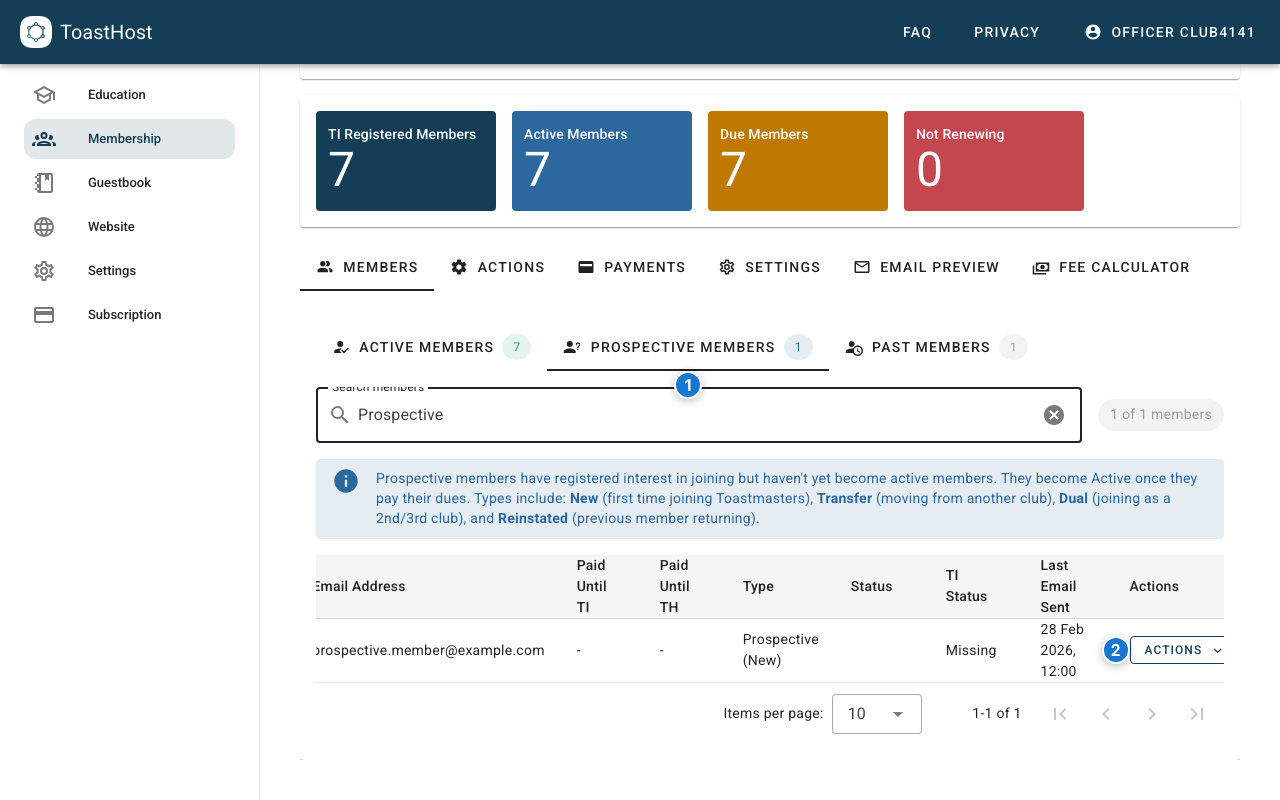
Callouts in the screenshot:
- The Prospective Members tab.
- Use the member row Actions menu to send a payment request or update their status.
Tips
- Add the New Member Form link to your Guestbook first email so guests can register when they're ready (copy it from Membership > Actions > Copy Registration Link). The Guestbook email body supports
$GUEST_FIRST_NAMEand$NEXT_MEETING_DATE. - Configure payment methods before sharing the form (Stripe and/or bank transfer), because the payment request email uses your Membership settings.
- Monitor Prospective Members for registrations that haven't paid yet and resend a payment request if needed.
- For bank transfers, members can click the "I've paid" link in the payment email to notify the club, but officers still need to confirm payment and then Mark As Paid.
Common Questions
Can guests use this form?
This is for new members. Guests typically use the Guestbook instead.
What if someone registers but doesn't pay?
Follow up from Membership > Members > Prospective Members and use the row Actions menu to send another payment request.
Can I customize confirmation emails?
You can customize the payment request email text in Membership > Settings > Renewal Email Text (used for both renewals and new member payment requests).