Payment Collection
Overview
Use ToastHost to collect membership dues online.
- Card payments are processed through Stripe
- Bank transfers can be enabled by providing your club’s bank transfer details
Documentation in progress
This page is being expanded with more detailed examples.
Prerequisites
- You are signed in as a club officer
- You have a Stripe account (for card payments)
Where to Configure Payments
- Open your club.
- Go to Membership.
- Open the Payments tab.
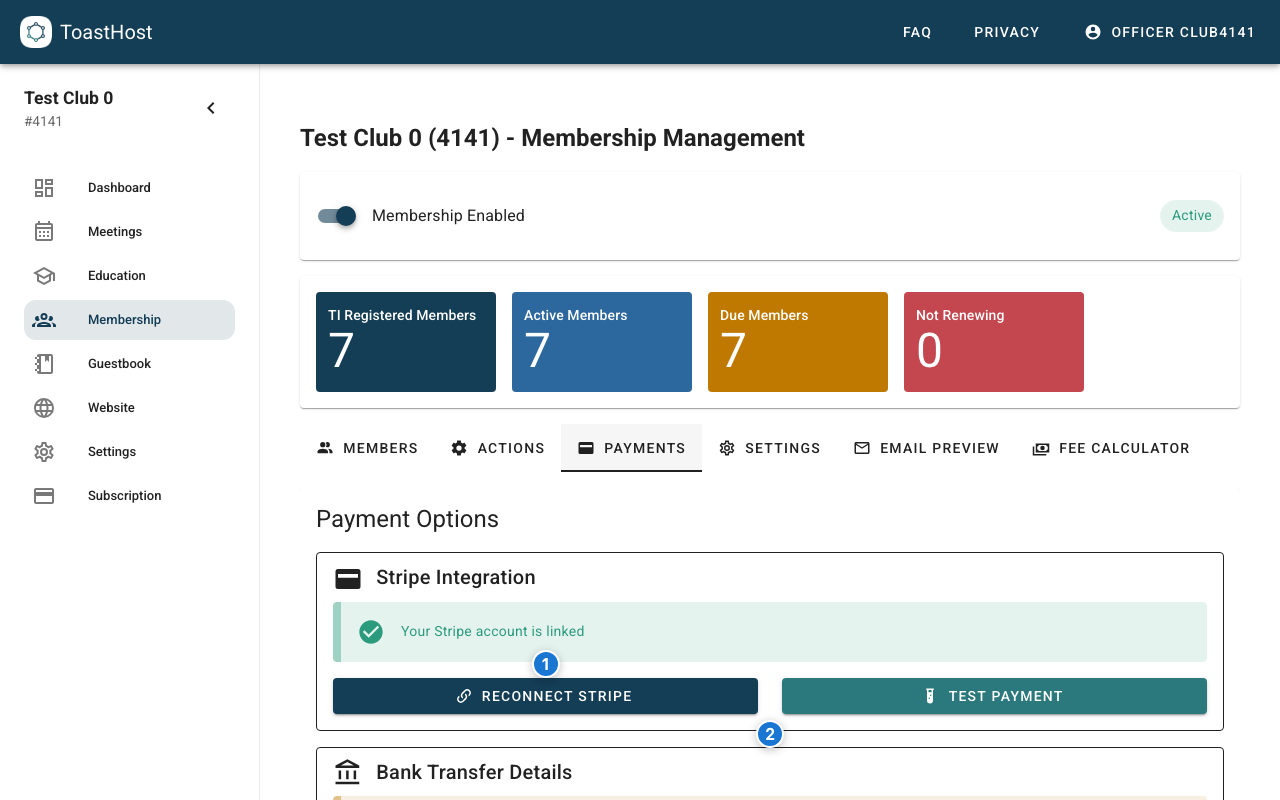
Callouts in the screenshot:
- Connect (or reconnect) your Stripe account for card payments.
- Bank transfer details (shown when enabled in Settings).
Connect Stripe (Card Payments)
- In the Payments tab, click Connect Stripe (or Reconnect Stripe).
- Complete the authorization flow in Stripe.
- Return to ToastHost.
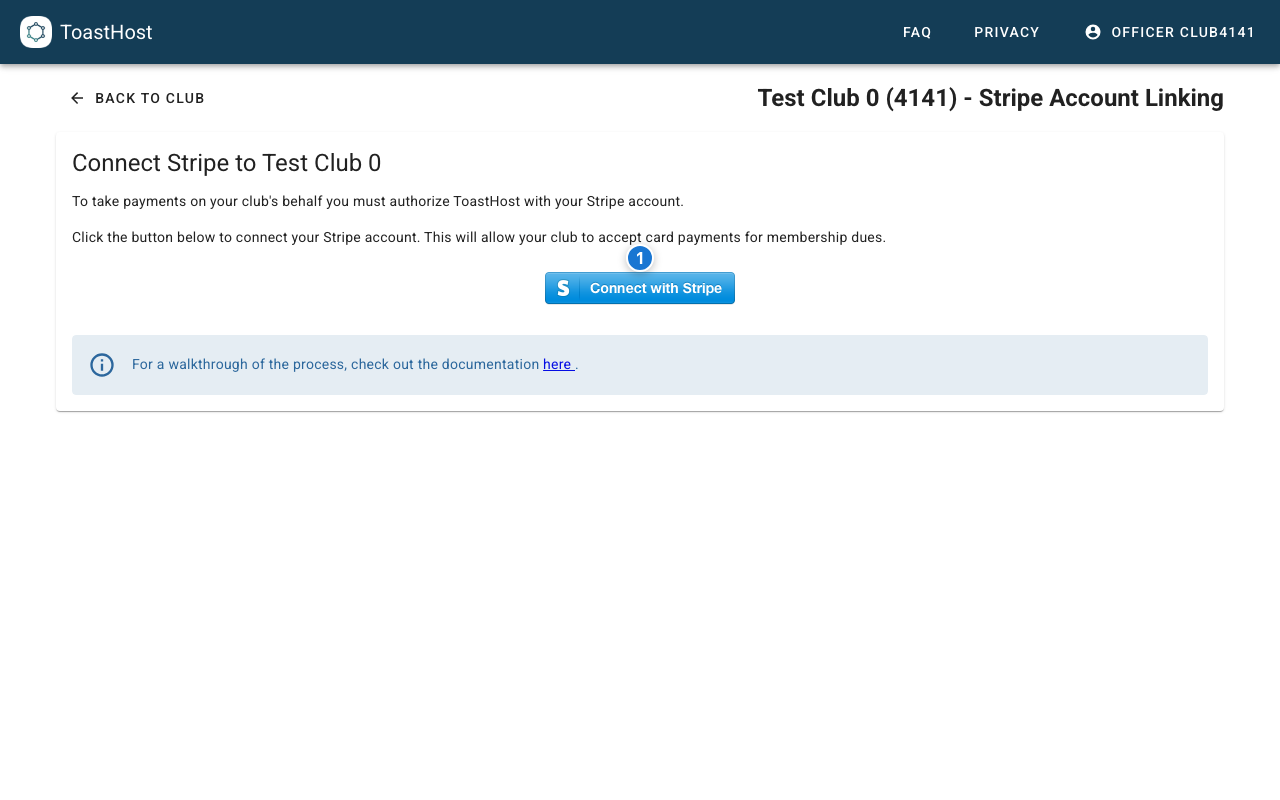
Callouts in the screenshot:
- Click Connect with Stripe to start the Stripe linking flow.
Configure Dues Amounts and Payment Methods
- Open the Settings tab.
- In Payment Configuration, set your Monthly Dues (and optionally a New Member Fee).
- Enable Allow Card Payments (requires Stripe).
- Enable Allow Bank Transfers (optional).
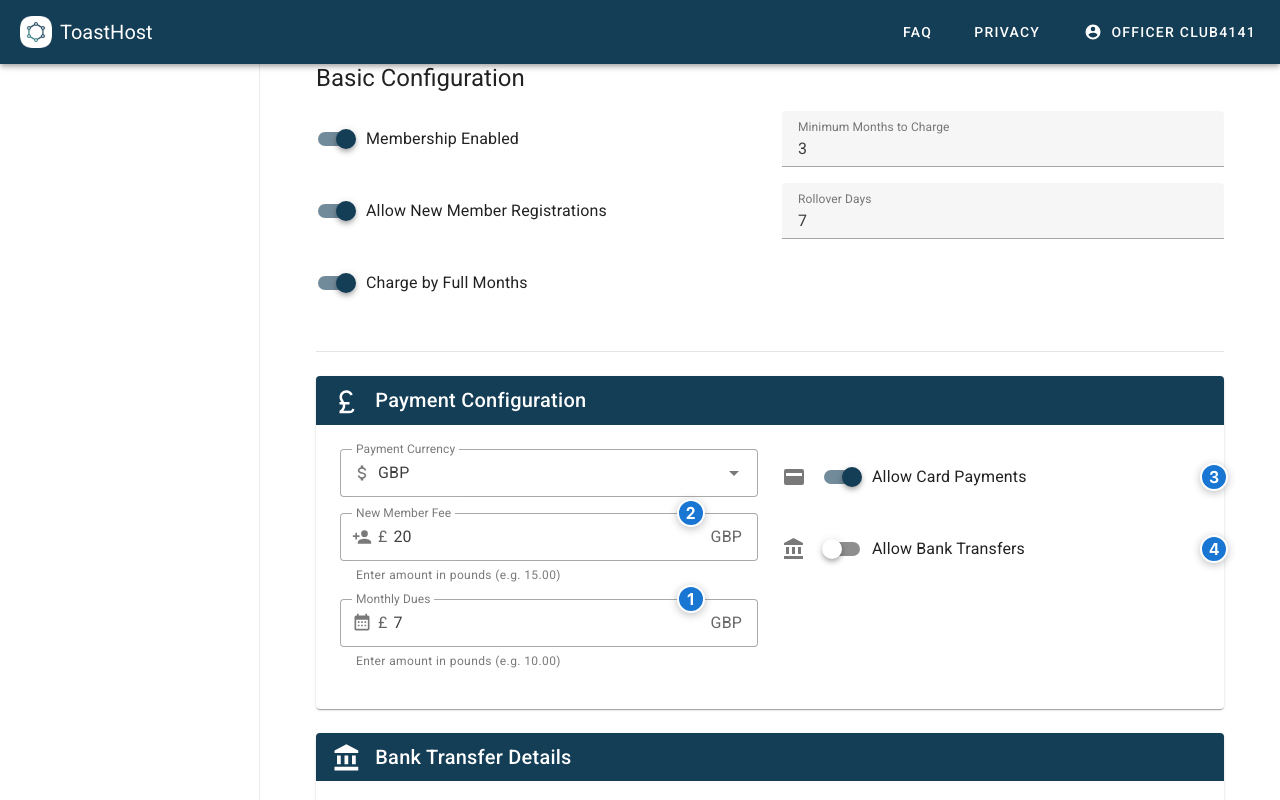
Callouts in the screenshot:
- Monthly Dues amount.
- New Member Fee amount (optional).
- Enable Allow Card Payments.
- Enable Allow Bank Transfers.
Send Payment Requests
ToastHost can email payment links to members who are due for renewal.
- Open the Actions tab.
- In Payment Reminders, click Send Payment Request ....
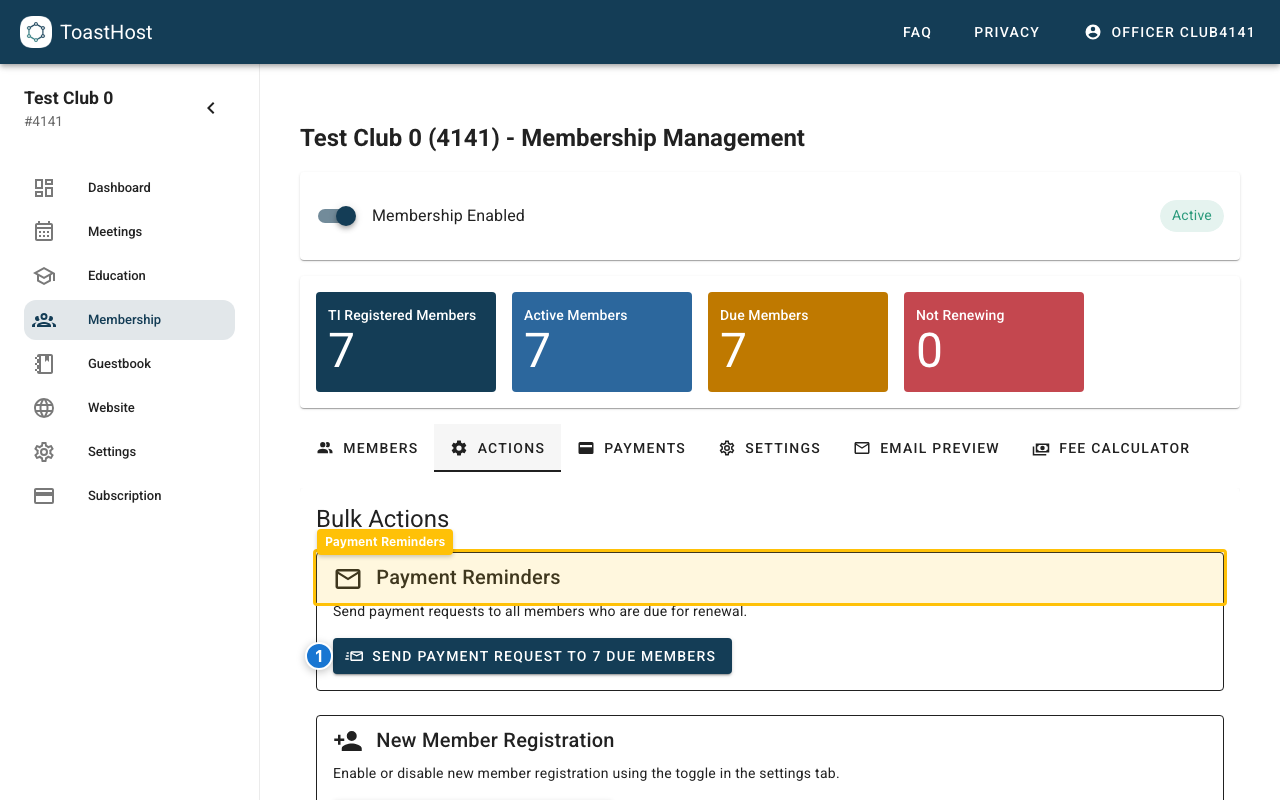
Callouts in the screenshot:
- Send payment requests to the due members list.
Payment Links
Each member has a unique payment link that:
- Shows the amount due
- Provides secure card entry
- Confirms payment immediately
Tips
- Test the payment flow before sending to all members
- Set up payment reminders for due dates
- Keep Stripe account information secure
- Review transaction fees (Stripe charges per transaction)
Common Questions
What fees does Stripe charge?
Stripe charges a percentage per transaction (varies by country). Check stripe.com for current rates.
Can members pay by bank transfer?
Stripe supports various payment methods depending on your region.
How quickly do we receive funds?
Typically 2-7 business days after payment, depending on your Stripe settings.
Related Topics
- Payment Tracking
- Member List
- Paying Dues (member view)