Payment Tracking
Documentation in progress
This page is being expanded with detailed instructions. Check back soon for complete content!
Overview
Track member payment status, see who is due or overdue, and send payment requests as needed.
How to Access
- Sign in as a club officer.
- Open Membership in the sidebar (Membership Management).
- Use the Members tab to see paid-until status and per-member actions.
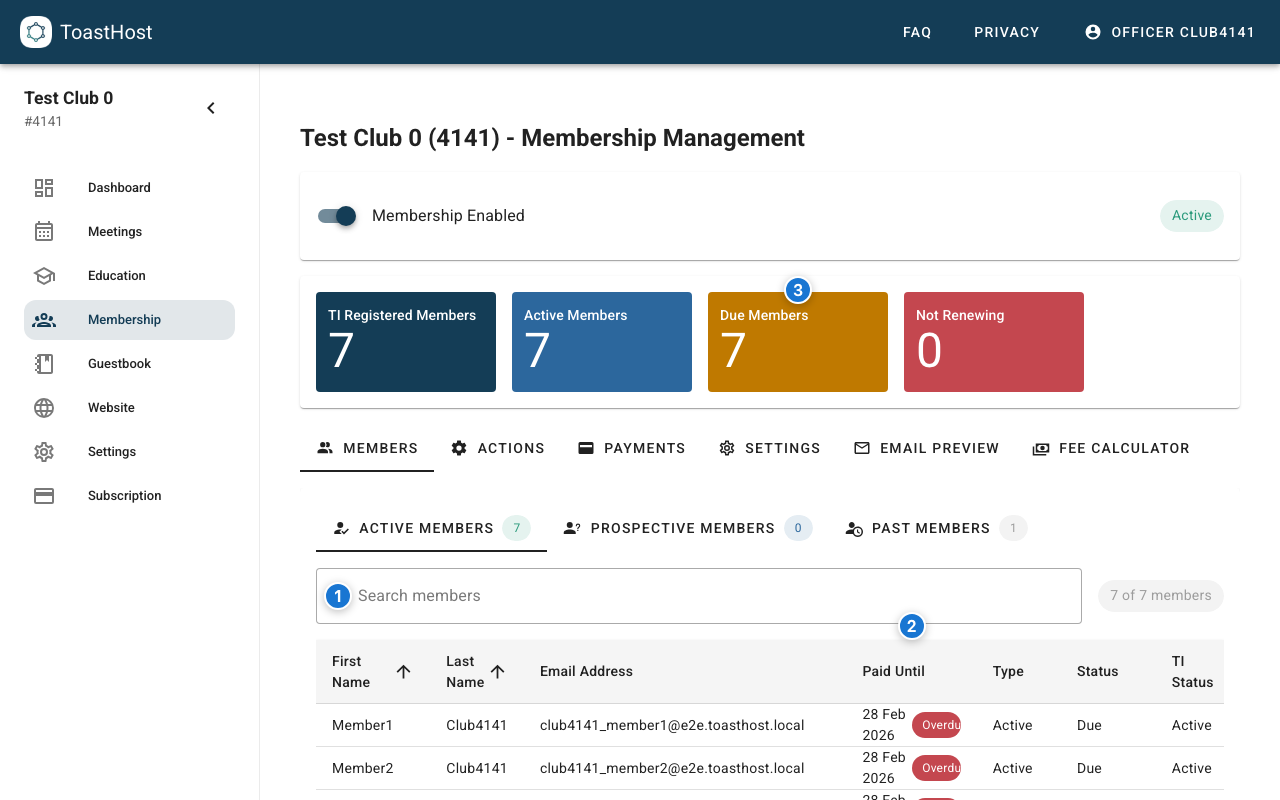
Callouts in the screenshot:
- Search members by name or email.
- The Paid Until column shows each member's latest known paid-until date.
- Due Members highlights how many members currently need renewal follow-up.
Payment Dashboard
Overview Metrics
The summary tiles at the top of the Membership page help you spot renewals quickly:
- Due Members shows how many members are currently due.
- Not Renewing helps you separate members who aren't renewing from members who still need follow-up.
Payment Status List
Use the member list to review each member's renewal status:
- The Paid Until column shows the latest known paid-until date.
- Members past their paid-until date show an Overdue chip.
- Use the row Actions menu to send requests or update status.
Managing Payments
Marking Someone As Paid (Manual Payments)
If a member pays outside ToastHost (cash, check):
- Find the member
- Open the member's row Actions menu
- Click Mark As Paid
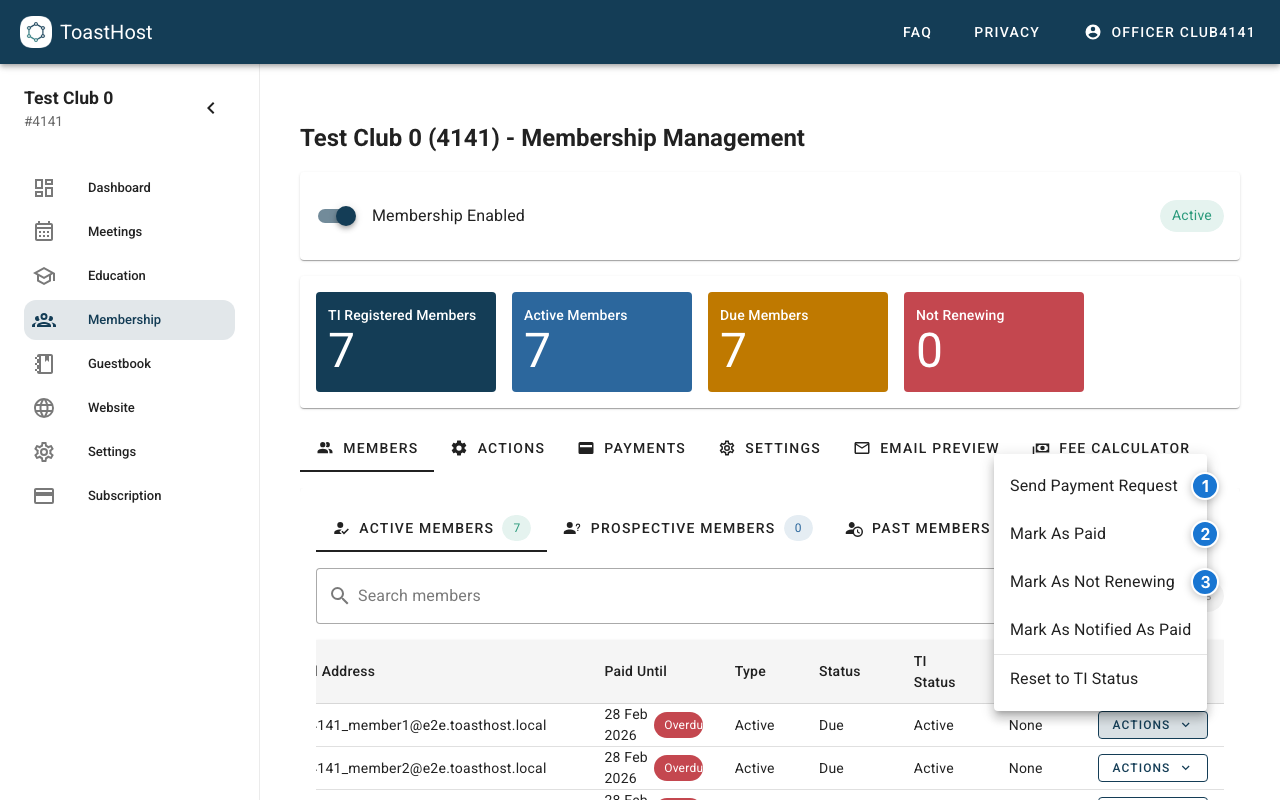
Callouts in the screenshot:
- Send Payment Request sends a payment request email for that member.
- Mark As Paid records a manual payment status in ToastHost.
- Mark As Not Renewing marks a member as not renewing (useful to stop renewal follow-ups).
Sending Payment Requests (Bulk Reminders)
For members with outstanding payments:
- Go to the Actions tab.
- In Payment Reminders, click Send Payment Request.
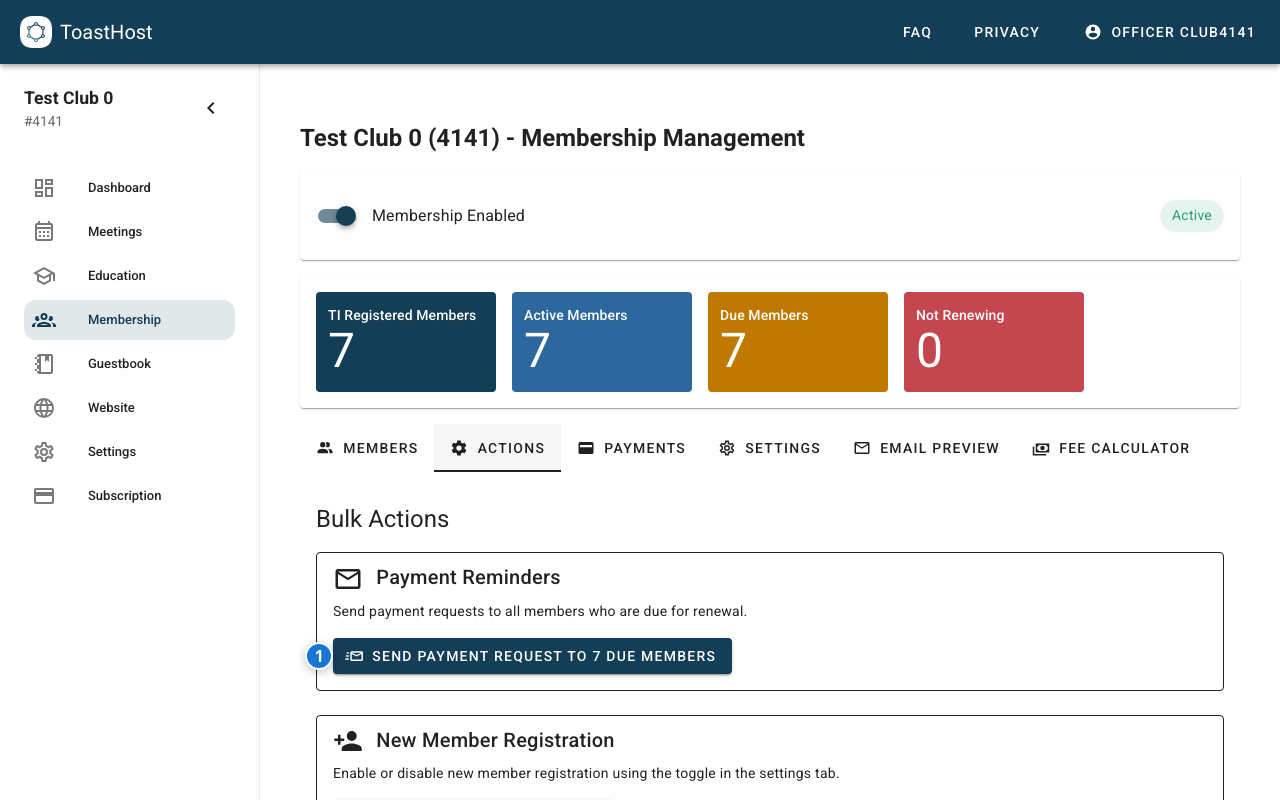
Callouts in the screenshot:
- Sends a payment request to all members who are currently due.
Payment History
Viewing Transactions
For card payments, use Stripe to view transaction details and refunds. ToastHost focuses on renewal status, requests, and the paid-until dates shown in the member list.
Tips
- Review payment status weekly
- Send reminders before due dates, not just after
- Keep accurate records of manual payments
- If you use Stripe, reconcile transactions in Stripe with your club's bank records
Common Questions
What if someone disputes a payment?
Check transaction records in both ToastHost and Stripe. Contact support if needed.
How do I handle refunds?
Process refunds through the Stripe dashboard, then update status in ToastHost.
Can I track partial payments?
Use your club's standard process to track partial payments, and update paid status when the renewal is complete.
Related Topics
- Payment Collection
- Member List
- Paying Dues (member view)