Creating an Account
Overview
ToastHost uses a unified login and signup flow. You simply enter your email address, and the system determines whether you're a new or returning user. New users create an account by verifying their email with a one-time code.
How to Create an Account
Step 1: Visit the ToastHost Homepage
Navigate to toasthost.co.uk and click the LOGIN/SIGNUP button in the top-right corner.
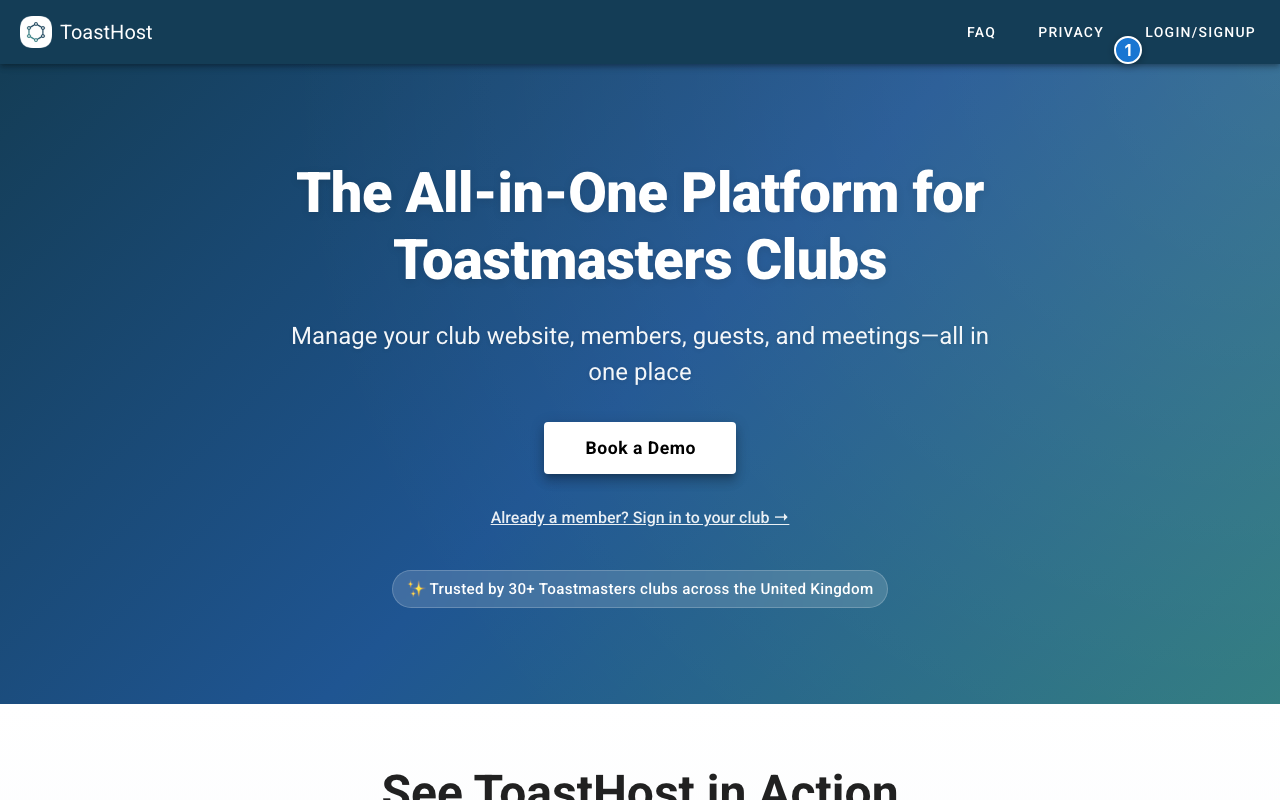 The ToastHost homepage with the LOGIN/SIGNUP button highlighted
Step 2: Enter Your Email Address
On the login page, enter your email address in the email field (1) and click Continue (2). The system will check whether you already have an account.
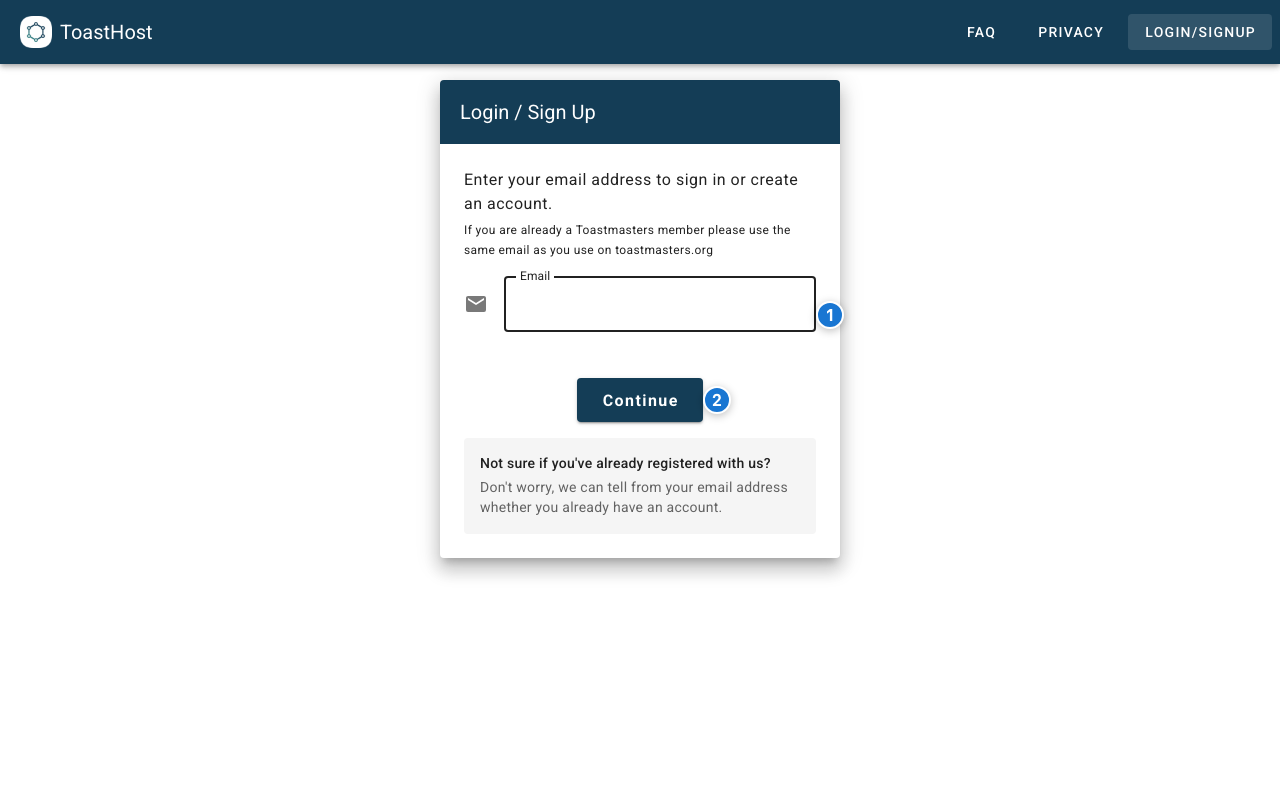 Enter your email address (1) and click Continue (2)
Use Your Toastmasters International Email
Important: Use the same email address that you use for your Toastmasters International account. This ensures your records can be properly matched and synchronized between ToastHost and TI systems.
Not Sure If You Already Have an Account?
Don't worry! The system will automatically detect whether your email is already registered and guide you through the appropriate flow.
Step 3: Verify with a One-Time Code
Since you're a new user, ToastHost will send a one-time code to your email address. Check your inbox and enter the 6-digit code to verify your email.
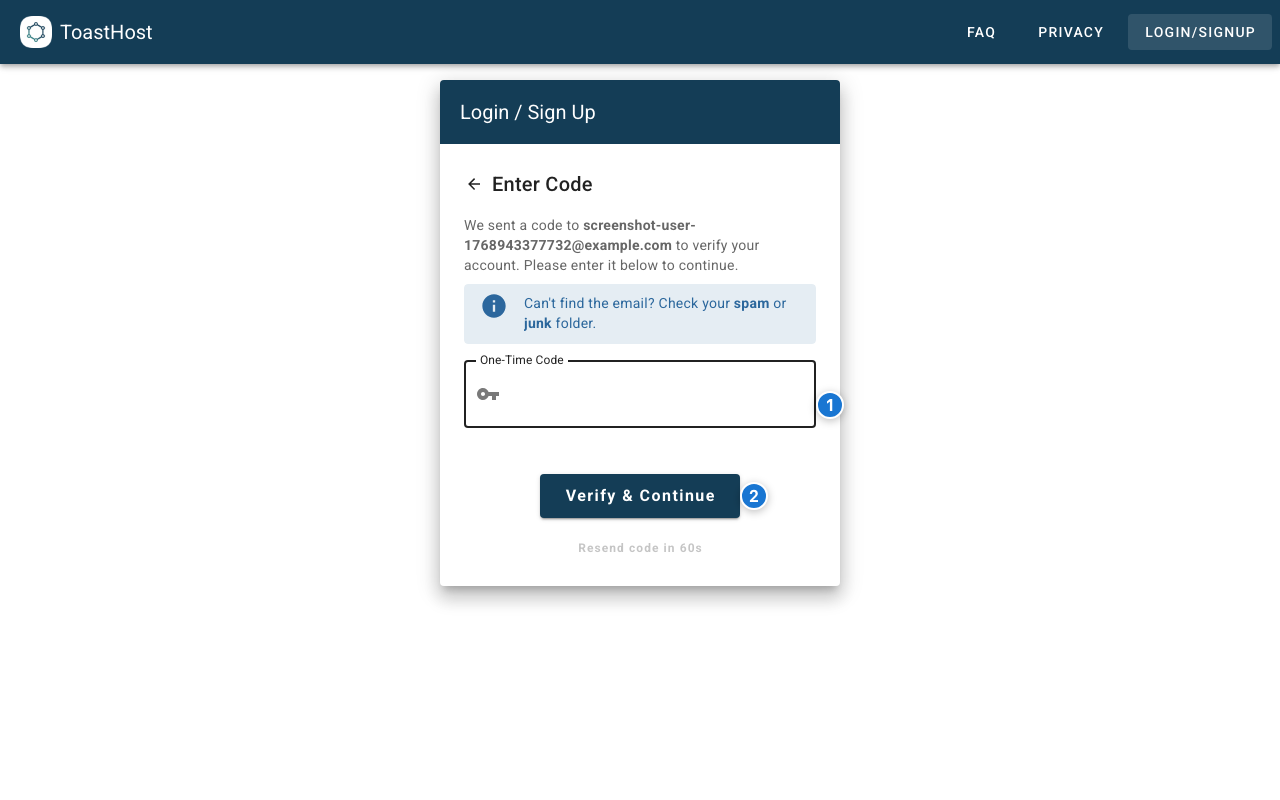 Enter the 6-digit code sent to your email
Check Your Spam Folder
If you don't see the email within a few minutes, check your spam or junk folder. You can also click "Resend code" to receive a new one.
Step 4: Complete Your Profile
After verifying your email, you may be asked to complete your profile with additional information.
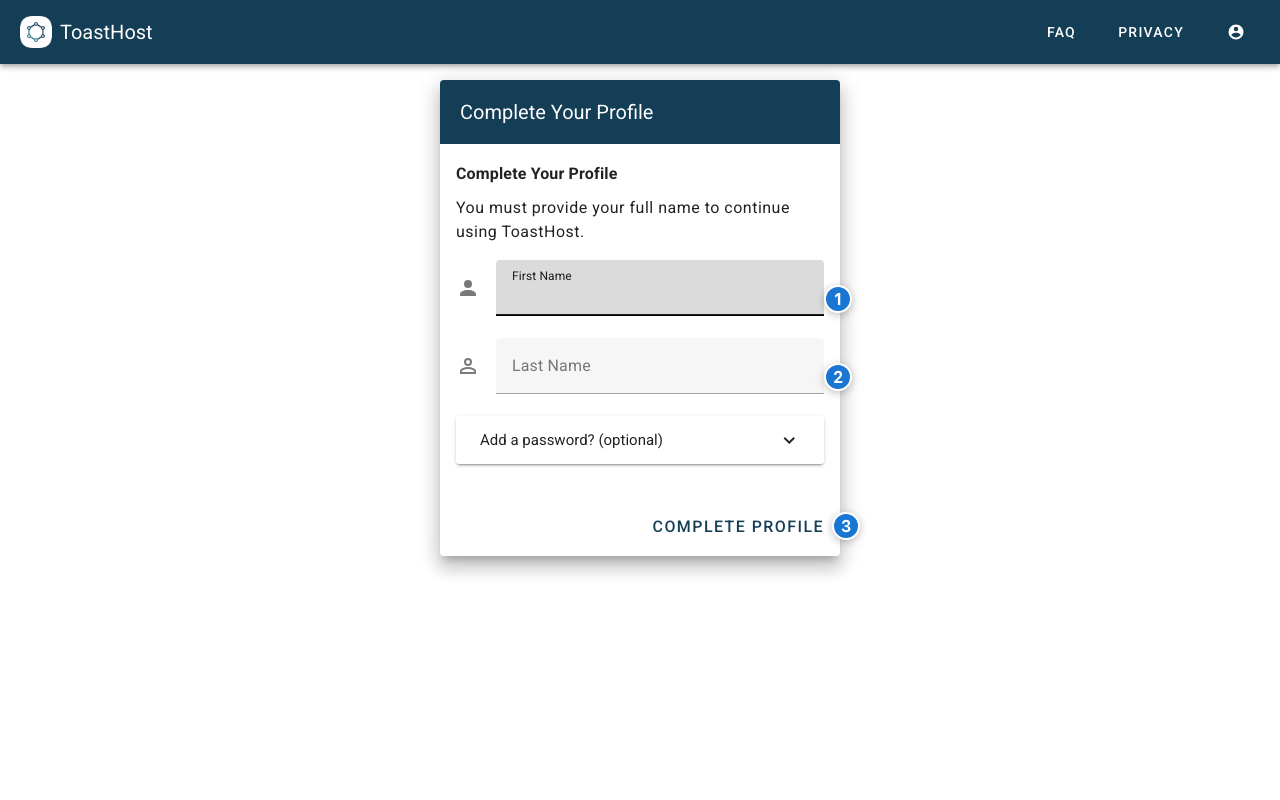 Complete your profile with your name and other details
Once done, you'll be taken to your home dashboard where you can:
- Join an existing club
- Register a new club (if you're an officer)
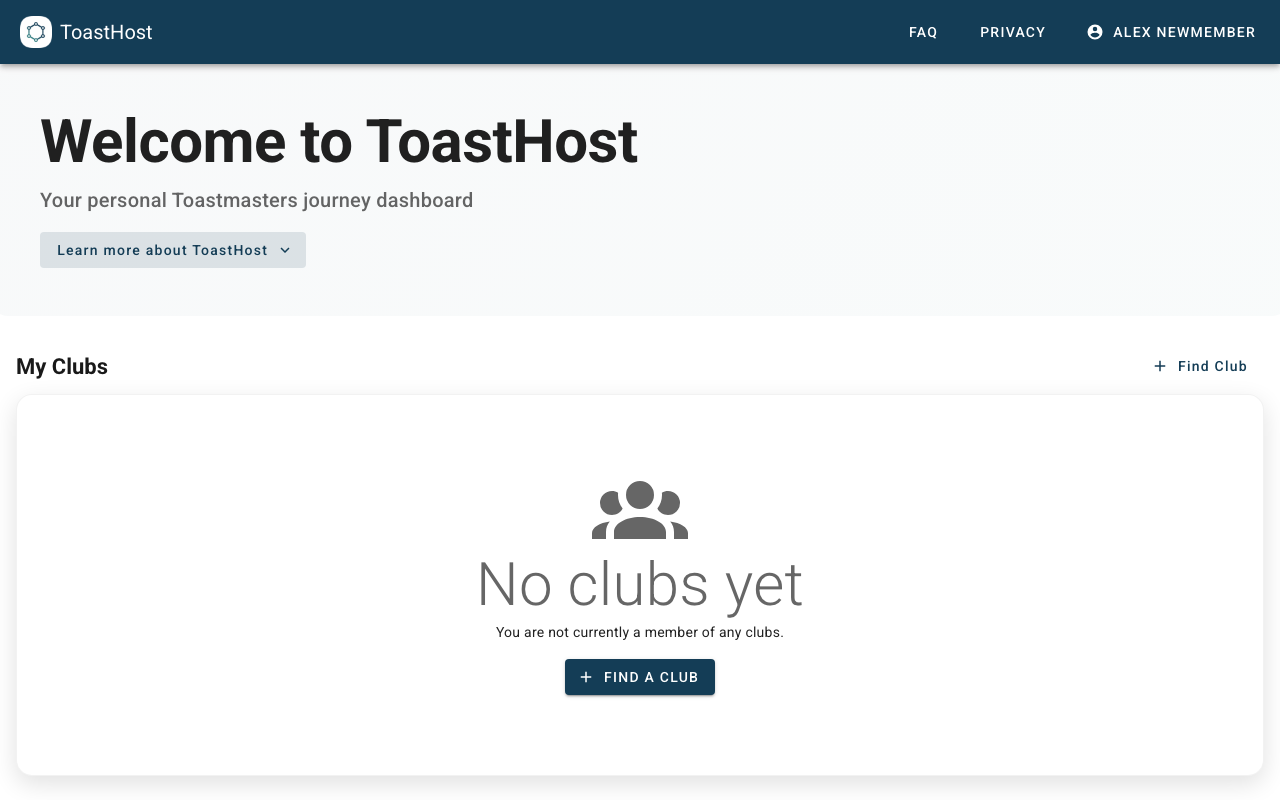 Your ToastHost home dashboard after account creation
Signing In Later
When you return to ToastHost, the sign-in process is just as simple:
- Click LOGIN/SIGNUP and enter your email
- Choose your authentication method:
- One-Time Code - Receive a code via email (default)
- Password - If you've set up a password, you can use it instead
Tips
- Use your Toastmasters International email - This is the most important tip for ensuring your records sync correctly
- Use an email address you check regularly
- The one-time code expires after a short time, so enter it promptly
- You can set up a password later if you prefer that authentication method
Common Questions
Can I use a different email later?
Your email address is how ToastHost synchronizes your data with Toastmasters International, so it's important to use the same email as your TI account. If you need to change your email, you should first update it in your Toastmasters International account, then contact support to update your ToastHost account to match.
Do I need to remember a password?
No! ToastHost primarily uses one-time codes sent to your email. This is secure and means you don't need to remember another password. However, you can set up a password in your account settings if you prefer.
What if the one-time code doesn't arrive?
- Wait 1-2 minutes (email can sometimes be delayed)
- Check your spam/junk folder
- Click "Resend code" to receive a new one
- Ensure you entered the correct email address