Finding a Club
Overview
If your Toastmasters club already uses ToastHost, you can search for it and request access to join. This guide walks you through the process of finding your club and requesting membership.
How to Find Your Club
Step 1: Navigate to Find or Register a Club
After signing in, go to your home page and click on Find or Register a Club.
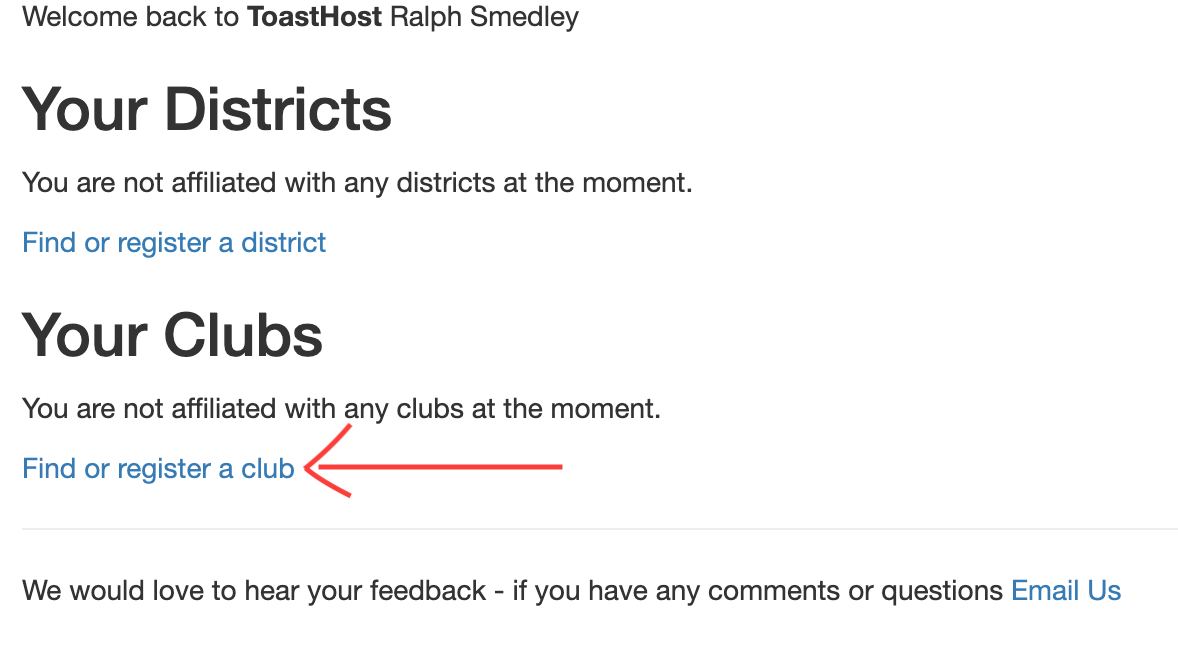 Click "Find or Register a Club" from your home page
Step 2: Search for Your Club
You'll see a list of all clubs currently registered on ToastHost. Search for your club by:
- Club name
- Club number
- Location
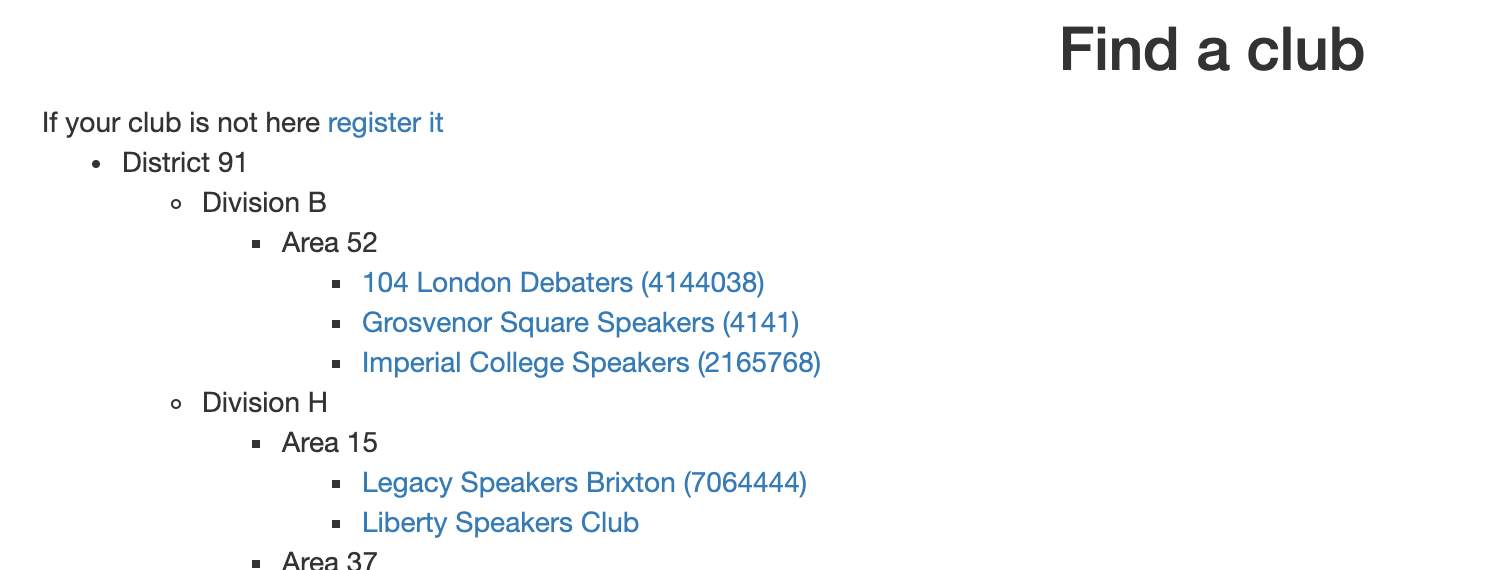 The club search page showing registered clubs
Step 3: Request Access
Once you find your club, click on the club name to view its home page.
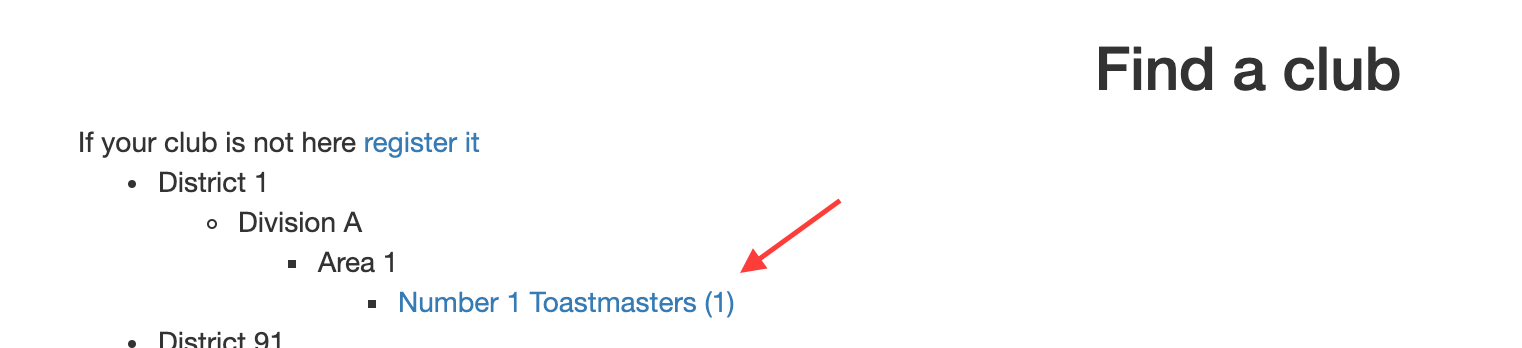 Click on your club name to view its page
Then click the Request Access link to notify the club officers that you'd like to join.
 Click "Request Access" to send a request to the club officers
Step 4: Wait for Approval
The current registered officers for the club will receive an email about your request. They need to confirm your request from the club home page.
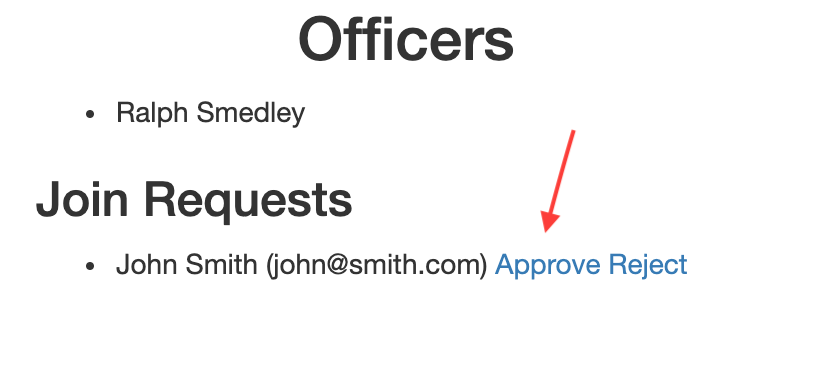 Club officers will see your request and can approve it
Once approved, you'll receive an email and be able to access the club.
Tips
- Search using your official Toastmasters club number for best results
- If you can't find your club, it may not be registered yet - contact your club officers
- Double-check you're joining the correct club before requesting access
- Confirm with your club officers that they received your access request
Common Questions
My club isn't listed - what do I do?
Your club may not be registered on ToastHost yet. Ask a club officer to register the club.
How long does approval take?
This depends on how quickly your club officers respond. Most approvals happen within a day or two. If you haven't heard back, contact your club officers directly to confirm they received the request.
Can I be a member of multiple clubs?
Yes! ToastHost supports membership in multiple clubs. Simply search for and request access to each club you belong to.