Registering a Club
Overview
If you're a club officer and your club isn't on ToastHost yet, you can register it to start using all the available features. This guide walks you through the club registration process.
Prerequisites
- A ToastHost account (create one here if you haven't already)
- Your club's official Toastmasters International club number
- Basic club information (name, meeting location, meeting time)
How to Register Your Club
Step 1: Navigate to Find or Register a Club
After signing in, go to your home page and click on Find or Register a Club.
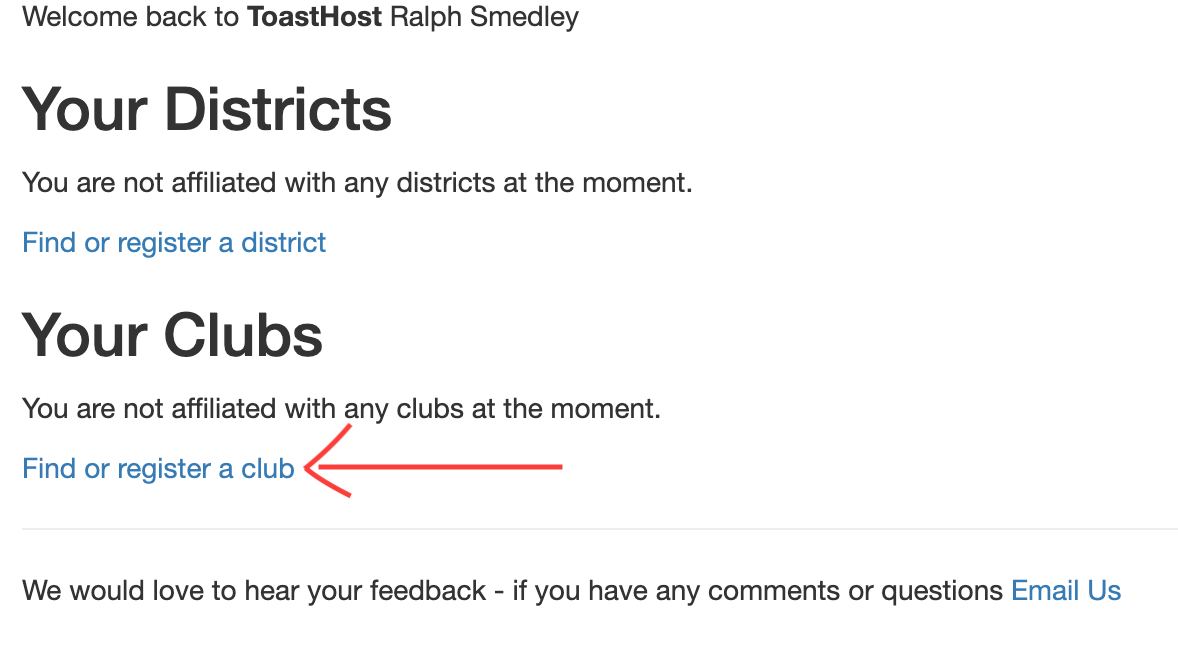 Click "Find or Register a Club" from your home page
Step 2: Check if Your Club Exists
You'll see a list of all clubs currently registered on ToastHost. Search for your club first to make sure it's not already registered.
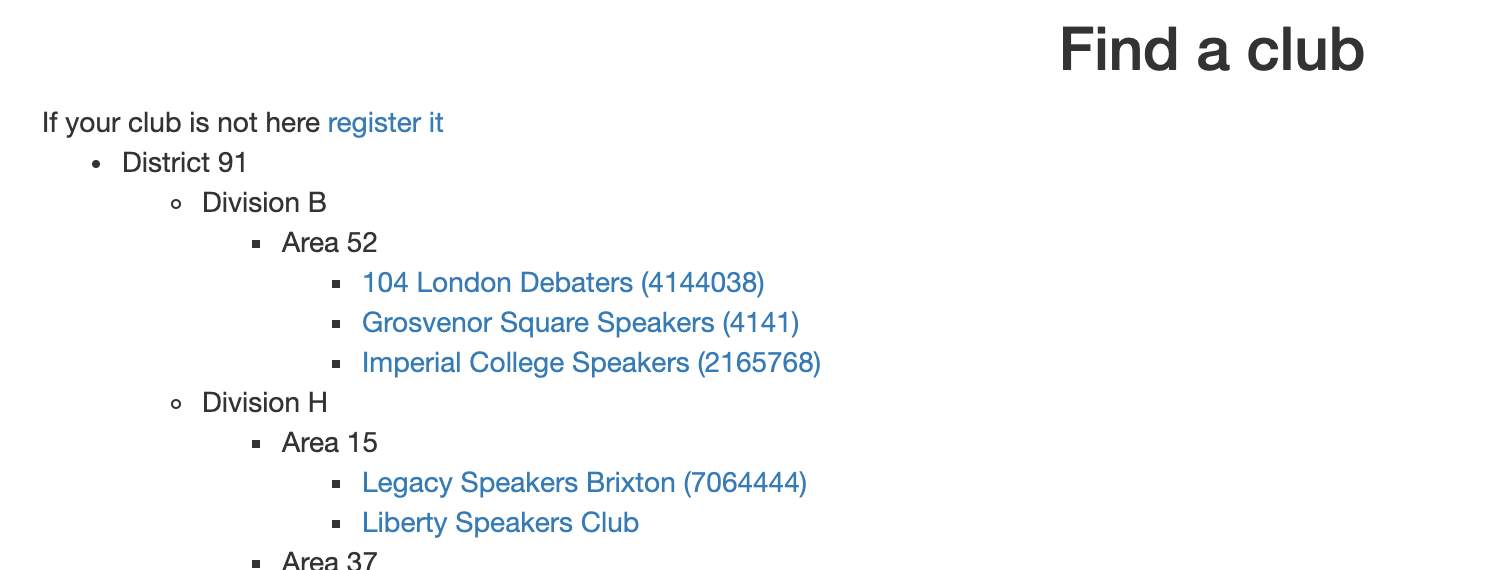 Check if your club is already registered
If your club is already registered, see Finding a Club instead.
Step 3: Start Club Registration
If your club isn't listed, click the Register a Club link.
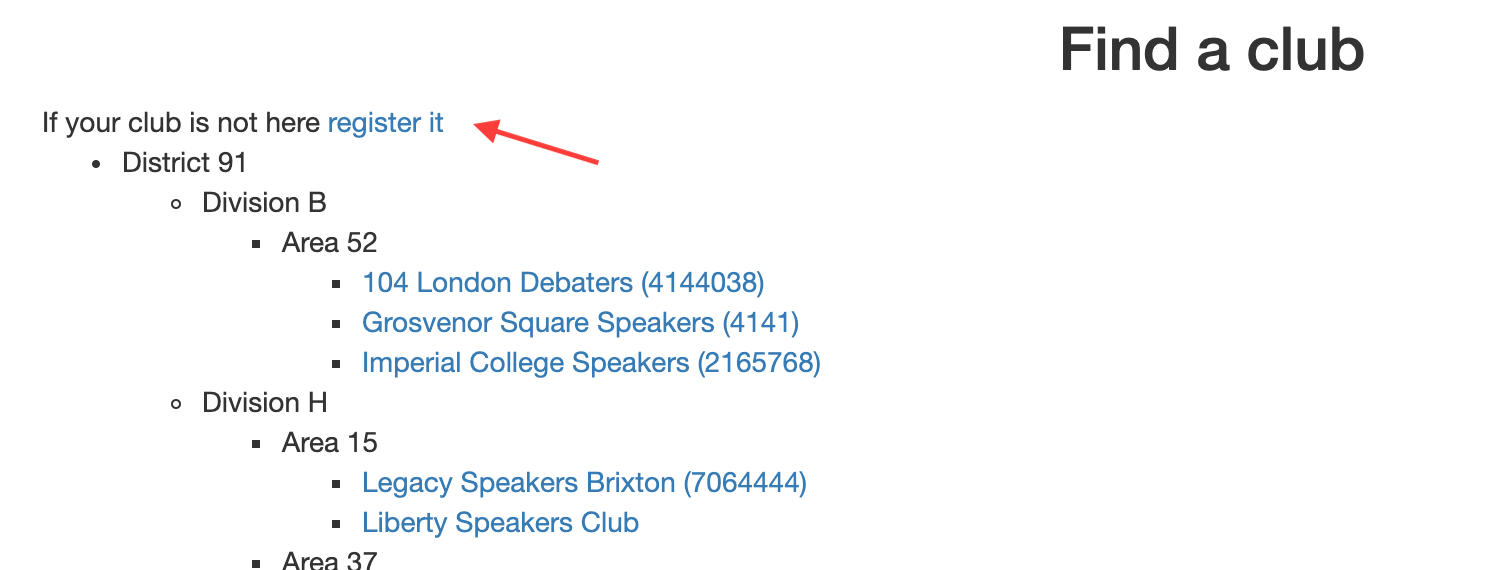 Click to register a new club
Step 4: Fill in Club Details
Complete the registration form with your club's information:
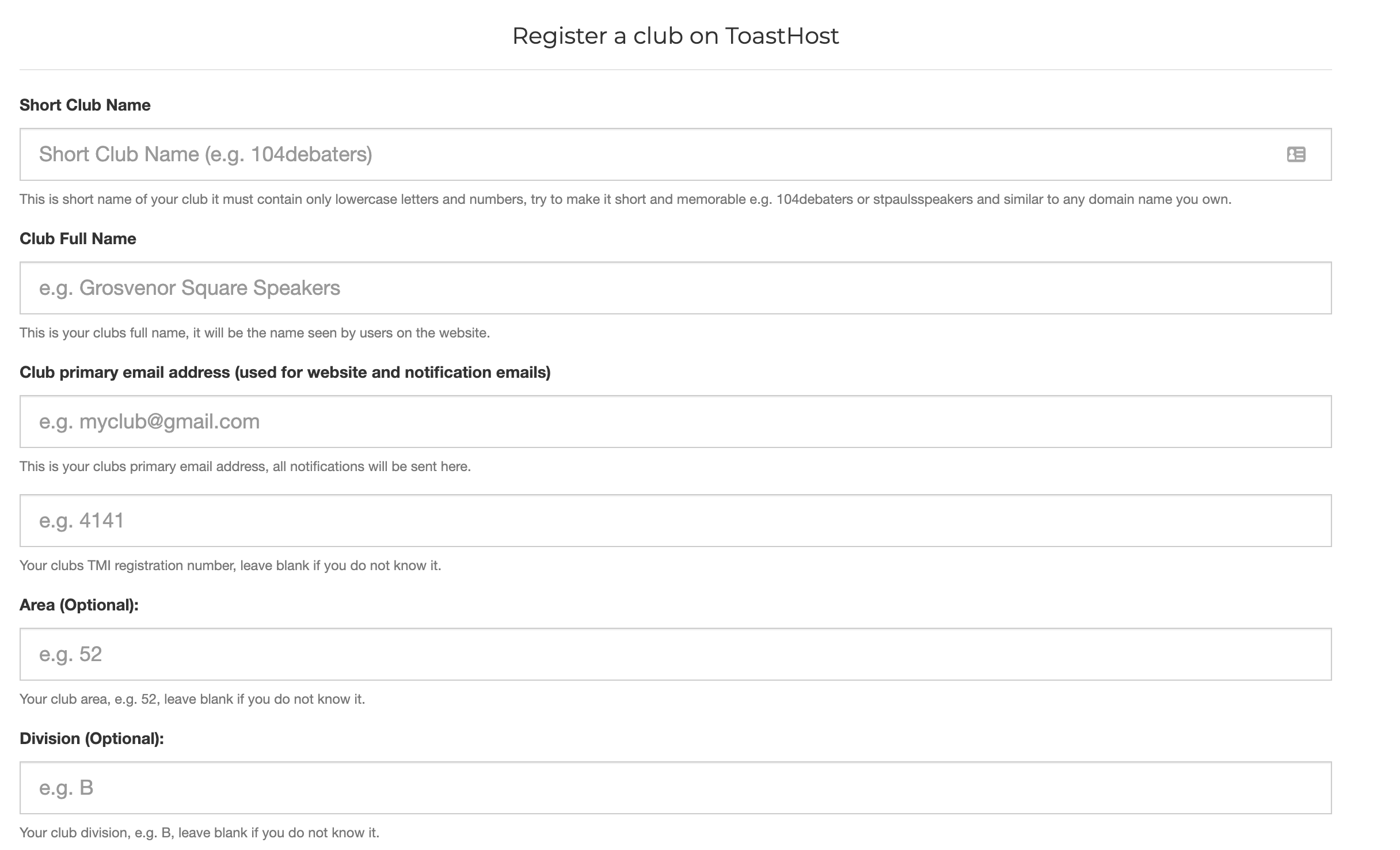 Fill in your club's details
Required information:
- Official club name
- Club number (from Toastmasters International)
- Meeting location
Optional information:
- Meeting day and time
- Club website
- Description
Don't Worry About Completeness
Fill in as much information as you can. If your club is pre-charter, or you don't have all of the information to hand, that's okay. You can update the information later in your club configuration.
Step 5: Access Your New Club
Once you submit the form, you'll be directed to your new club home page. Every time you log in or visit ToastHost, you'll see your club listed on your home page.
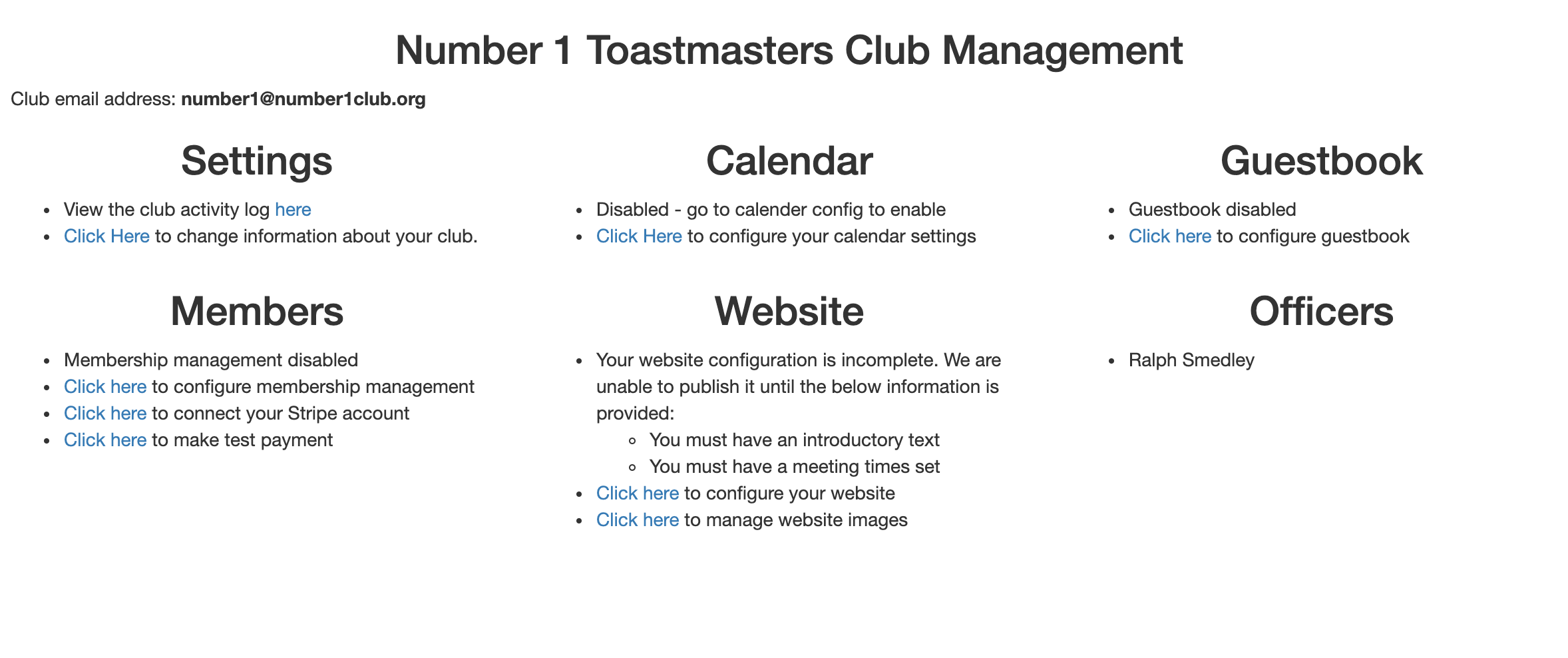 Your new club's home page
Tips
- Have your club number ready - you can find it on the Toastmasters International website
- The more information you fill in, the easier it will be for members to find your club
- You can always update club details later in club settings
- Consider inviting other officers to help with setup
What's Next?
Now you can explore the various features to configure your club. From your club home page, you can:
- Enable the guestbook for visitors
- Publish a club website
- Manage your members
- Set up meeting agendas
For detailed guides, see the Officer Guide: