Role Signup
Documentation in progress
This page is being expanded with additional screenshots and step-by-step guidance.
Overview
Role signup lets you volunteer for meeting roles such as Toastmaster, Timer, Grammarian, or Evaluator.
In ToastHost, requesting a role usually works like this:
- You request a role for a specific meeting
- A club officer reviews your request (approve/reject) or assigns roles directly
- If you're assigned, your name appears on the meeting
- Your officer may notify you by email (this is optional and not automatic)
Where to find role signup
Role signup appears on the meeting page:
- Desktop: open the meeting and select the Role Signup tab
- Mobile: open the meeting, stay on the Overview tab, and scroll to the Role Signup section
Note
The Role Signup tab/section only appears when the meeting is Scheduled and the meeting has at least 1 agenda item.
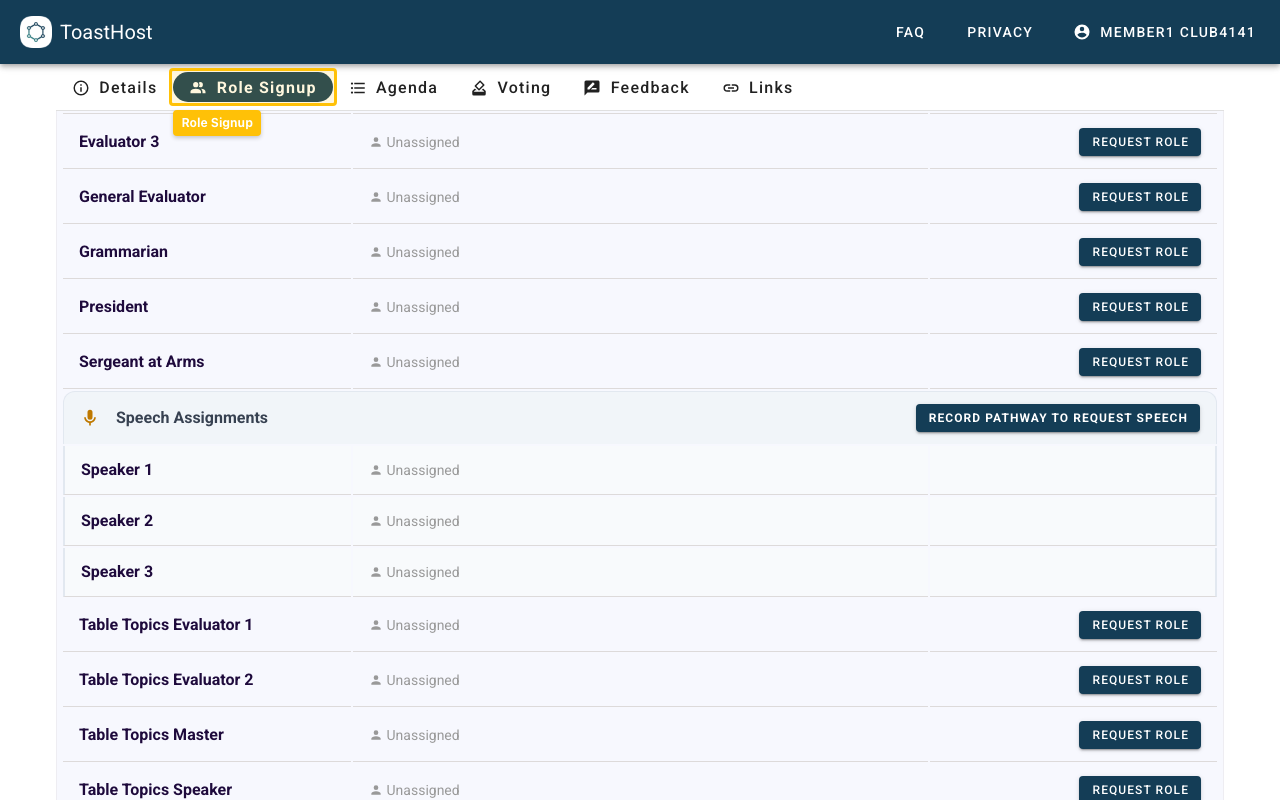
Request a role
Step 1: Open the meeting
- Open your club
- Go to Meetings
- Open the meeting you want
Step 2: Find the role you want
- Go to Role Signup
- Browse the role list (some roles have multiple slots, such as "Speaker 1" and "Speaker 2")
Step 3: Submit your request
If a slot is available:
- Click Request Role
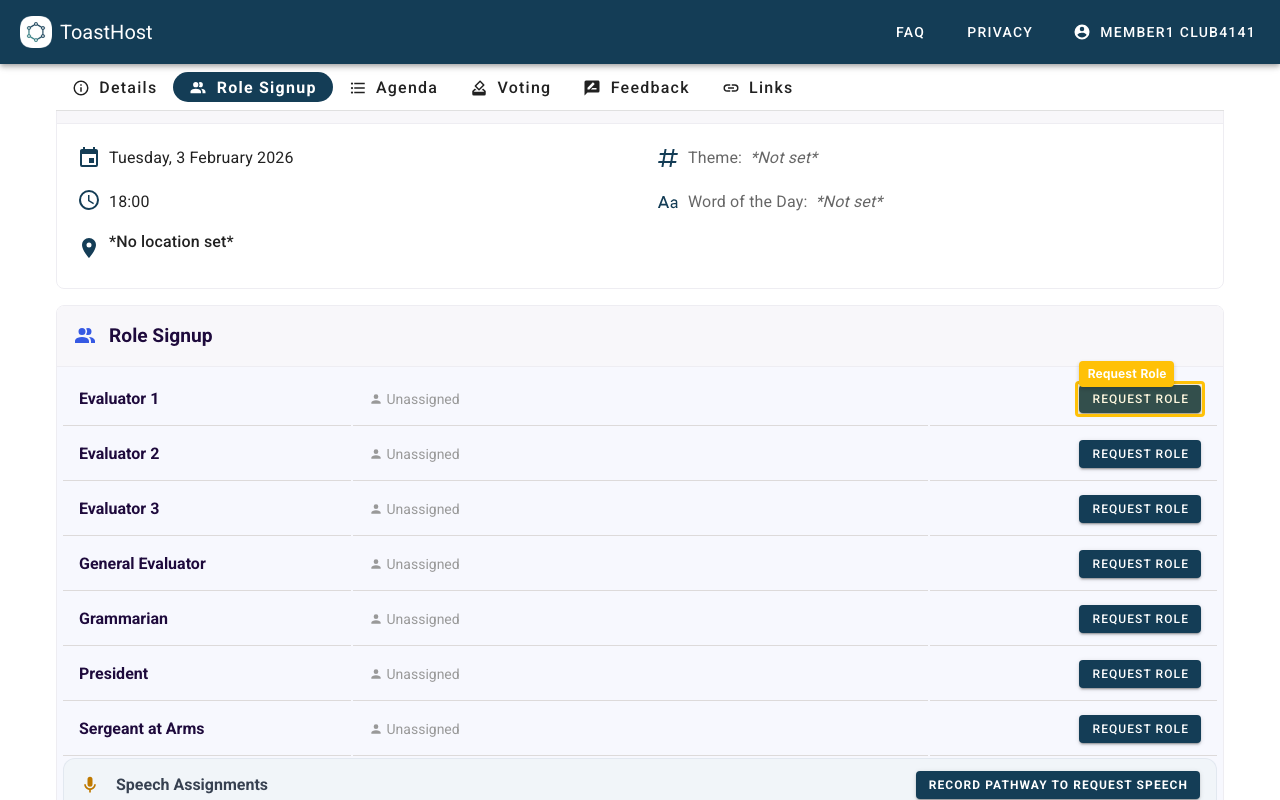
If you're not signed in, you will be prompted to log in first.
If a role is full: express interest anyway
If all slots are filled (or there are already enough pending requests), you may see Express Interest Anyway.
This lets your officer know you're still interested if a slot opens up.
Cancel a request
If you change your mind before an officer approves your request:
- Go back to Role Signup
- Find the role you requested
- Click Cancel Request
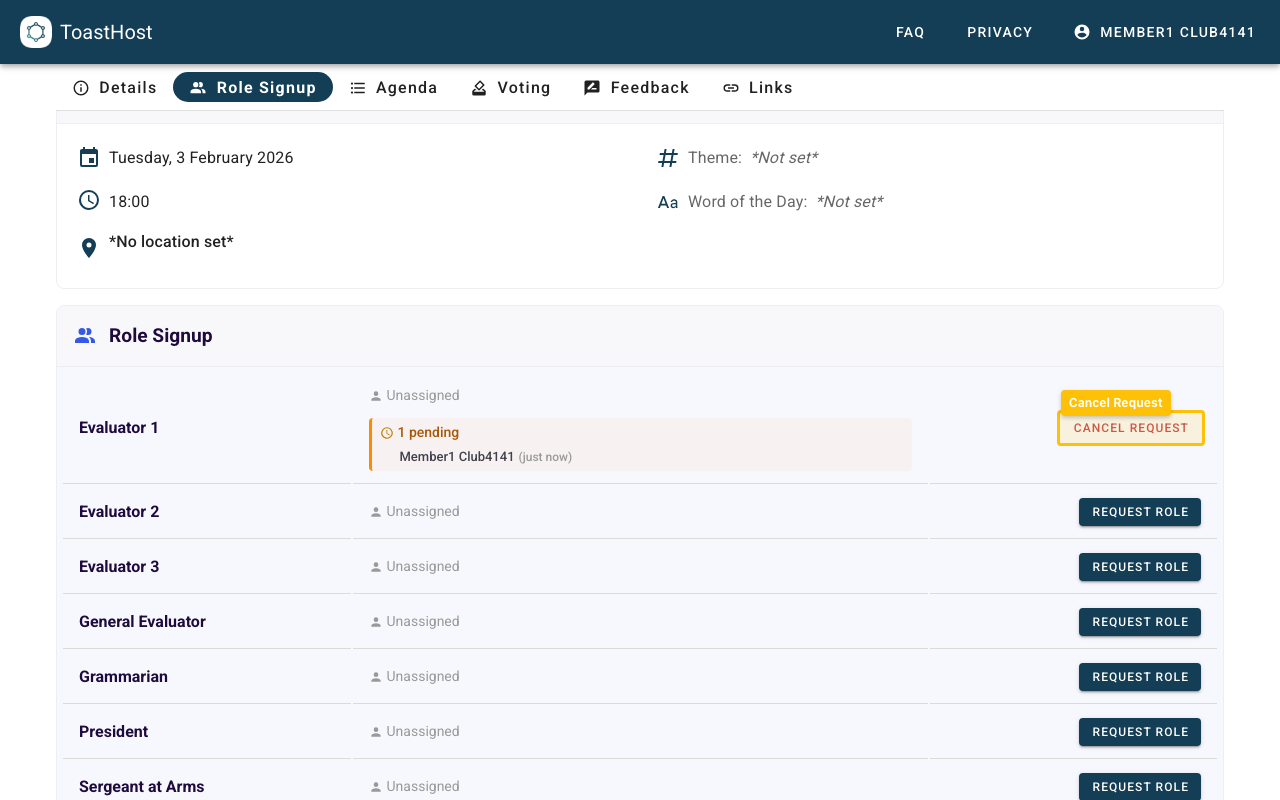
What happens after you request a role
After you request a role, your club officer may:
- Approve your request (you become assigned to the role)
- Reject your request (for example, if the role is already full or they need someone else)
Email notifications
- When you request a role, ToastHost automatically emails your club's VP Education (VPE) (if configured) so they know there is a pending request to review.
- You may not receive an email right away. Officers can optionally email assignees from the meeting after assignments are finalized.
Tips
- Request early for popular roles
- If you can no longer attend, cancel your request as soon as possible
- If you were assigned and need to back out, contact your club officer so they can reassign the role
Common Questions
Why don't I see the Role Signup tab?
Role Signup only appears when:
- The meeting status is Scheduled
- The meeting has an agenda (at least 1 agenda item)
On mobile, Role Signup appears inside the Overview tab.
Can I request roles as a guest?
Role requests require a club member account. Guests can attend meetings, but they can't request roles.
Will I receive an email?
Not always. ToastHost automatically emails your club's VP Education (VPE) when you request a role, but officers may or may not email you after assignments are confirmed.
Can I request multiple roles?
This depends on your club's settings. Some clubs prefer one role per member per meeting; others allow multiple minor roles.
What if all roles are filled?
If the role is full, use Express Interest Anyway, or check back later in case someone cancels.
Related Topics
- Attending Meetings
- Role Assignments (officer view)
- Speech Requests
- Your Pathways