Your Dashboard
Documentation in progress
This page is being expanded with detailed instructions. Check back soon for complete content!
Overview
Your dashboard is the first thing you see when you sign in to ToastHost. It provides a personalized view of your club activity, upcoming meetings, and quick actions.
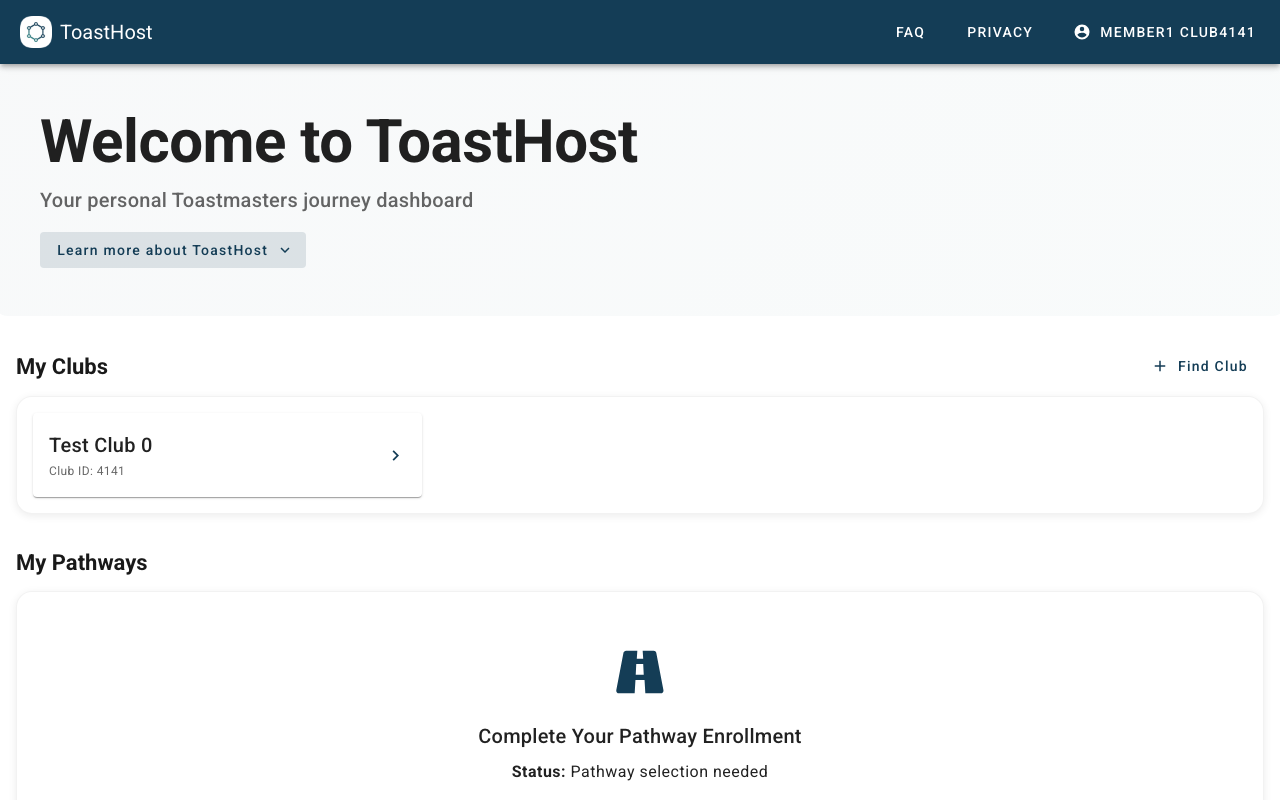
Dashboard Sections
Upcoming Meetings
Shows your club's next meetings with:
- Meeting date and time
- Your assigned roles (if any)
- Quick links to view meeting details
Your Roles
Displays roles you've been assigned or have signed up for, including:
- Role name (e.g., Toastmaster, Table Topics Master, Evaluator)
- Meeting date
- Any preparation notes
Quick Actions
Common tasks you can do from the dashboard:
- View the next meeting
- Sign up for roles
- Check your pathway progress
Pathway Progress
If you're enrolled in Pathways, you'll see:
- Your current pathway
- Progress toward your next level
- Recent completions
Tips
- Check your dashboard before each meeting to review your roles
- Use the quick action buttons for common tasks
- Click on any meeting to see full details
Common Questions
Why don't I see any meetings?
Your club may not have upcoming meetings scheduled, or you may need to be added to the club by an officer.
How do I change my notification settings?
Contact your club officers to adjust how you receive notifications.